Requesting Contacts
Last updated: August 19, 2026
Overview
For foodservice contacts, First Bite finds ~10x more decision-makers than any single data source or industry-agnostic lead database.
However, because there’s so much turnover in foodservice, we do not store contacts in our database because they would go stale.
Instead, you can request freshly-researched contacts for your outreach campaigns.
Our research team layers public data, various lead platform API’s, advanced web crawling, and manual motions to find the most-likely, validated decision maker contact information.
How to Request Contacts
Once you’ve created your Campaign, go to the Campaigns page.
In the table, click on your newly created campaign name.
Click on the
Request Contactsbutton in the top right corner.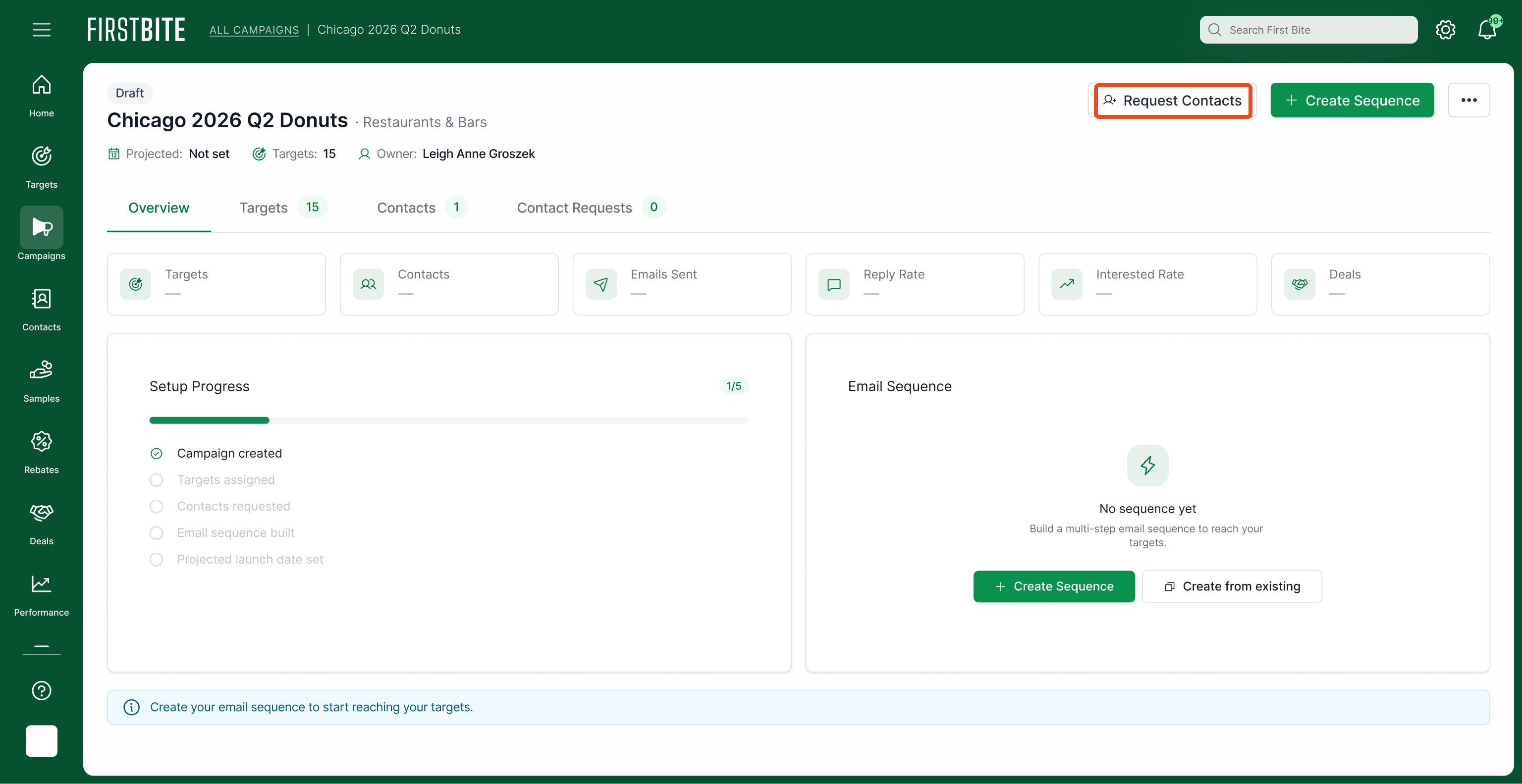
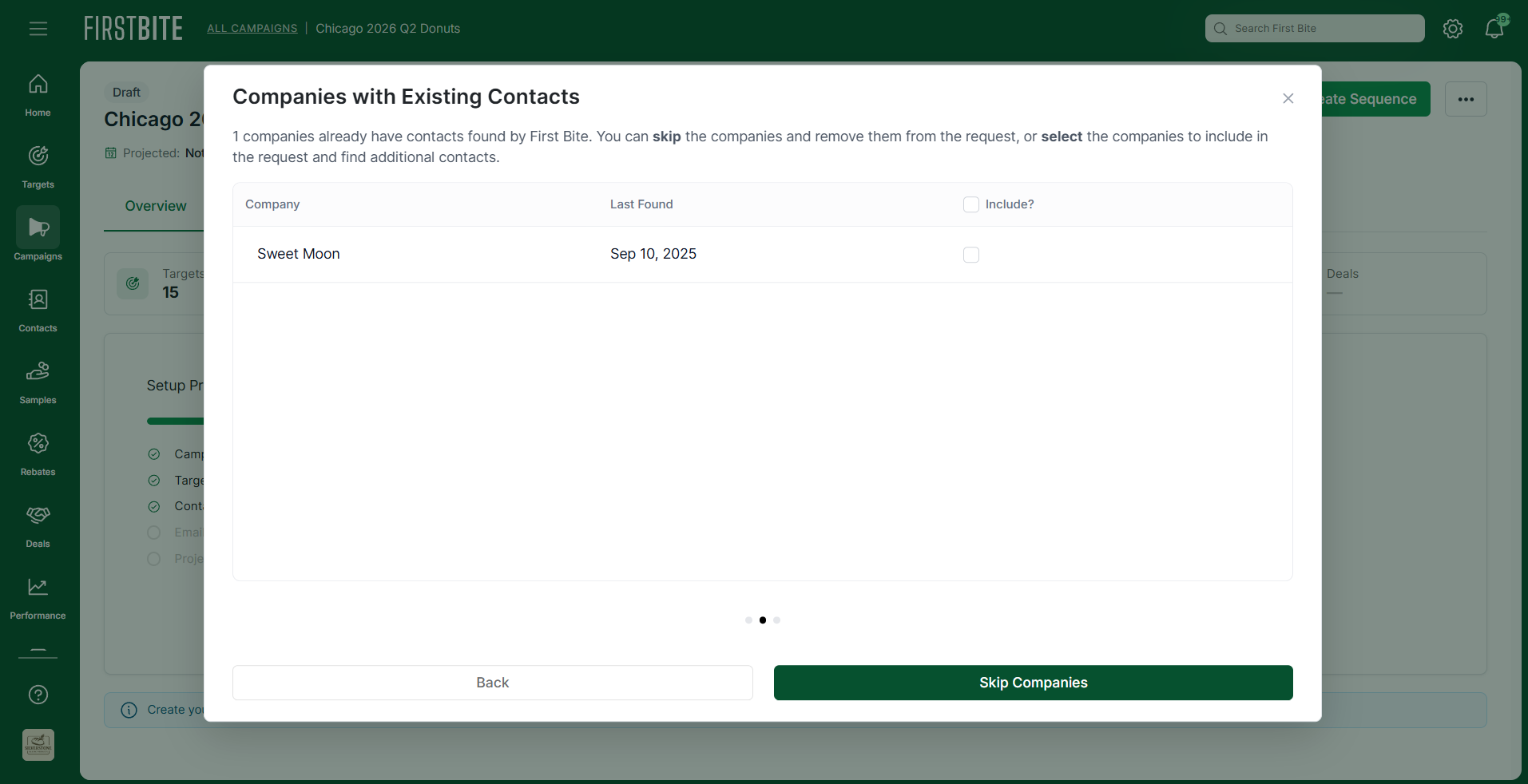
Optional: If you already have companies that are associated with a contact, you can choose whether to ask for additional contacts by checking the box to include them in your contact request.
If your contact is greater than 6 months old, it is recommended that you request an updated contact.
Select the number of contacts you’re requesting per company (generally 1). Enter this number at the bottom of the second page.
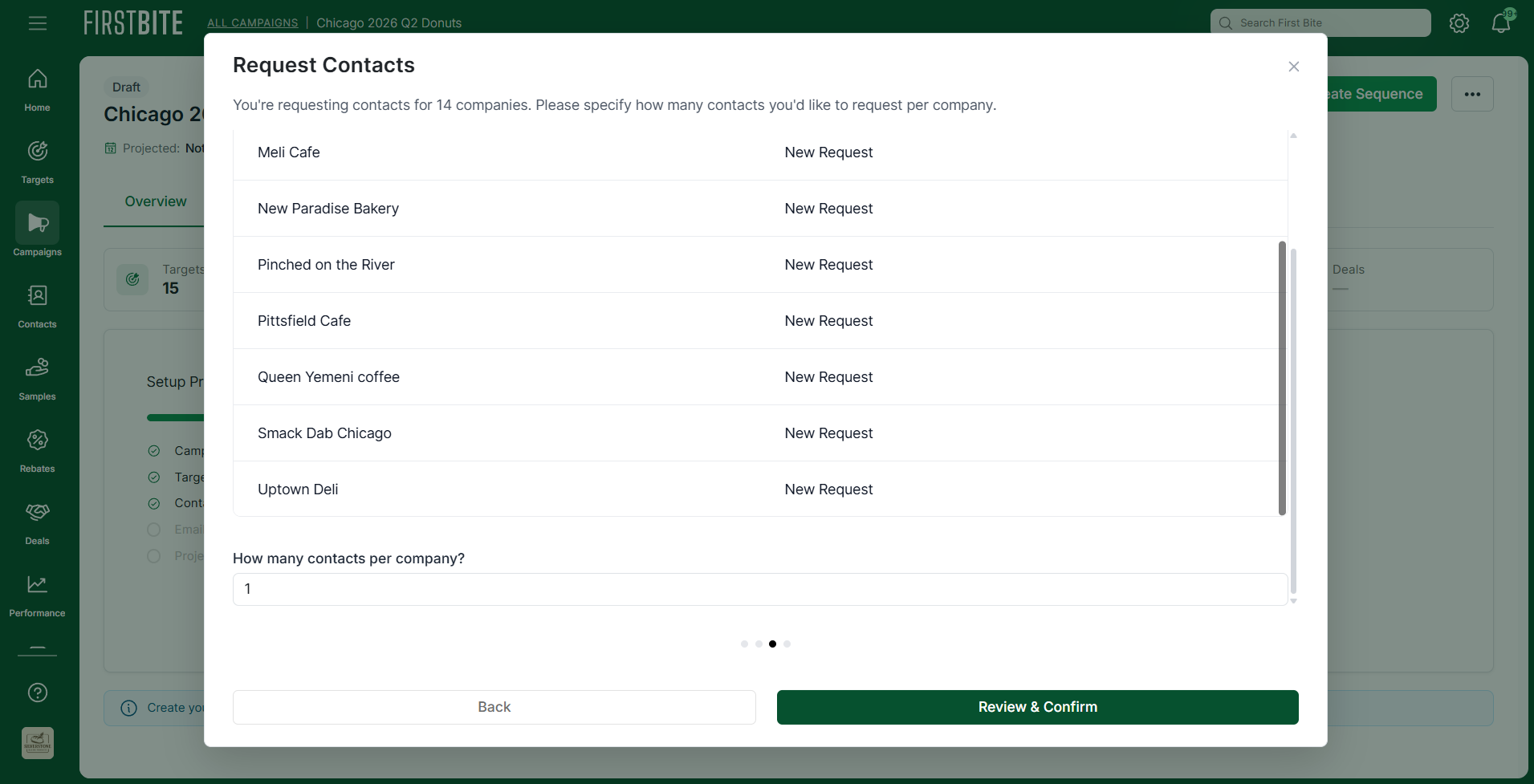
Click
Review & Confirmat the bottom of the page.Finally, you'll see a summary of how many contact credits will be used for the request along with a summary of your current contact credit status.
To complete your request, click on
Request Contacts.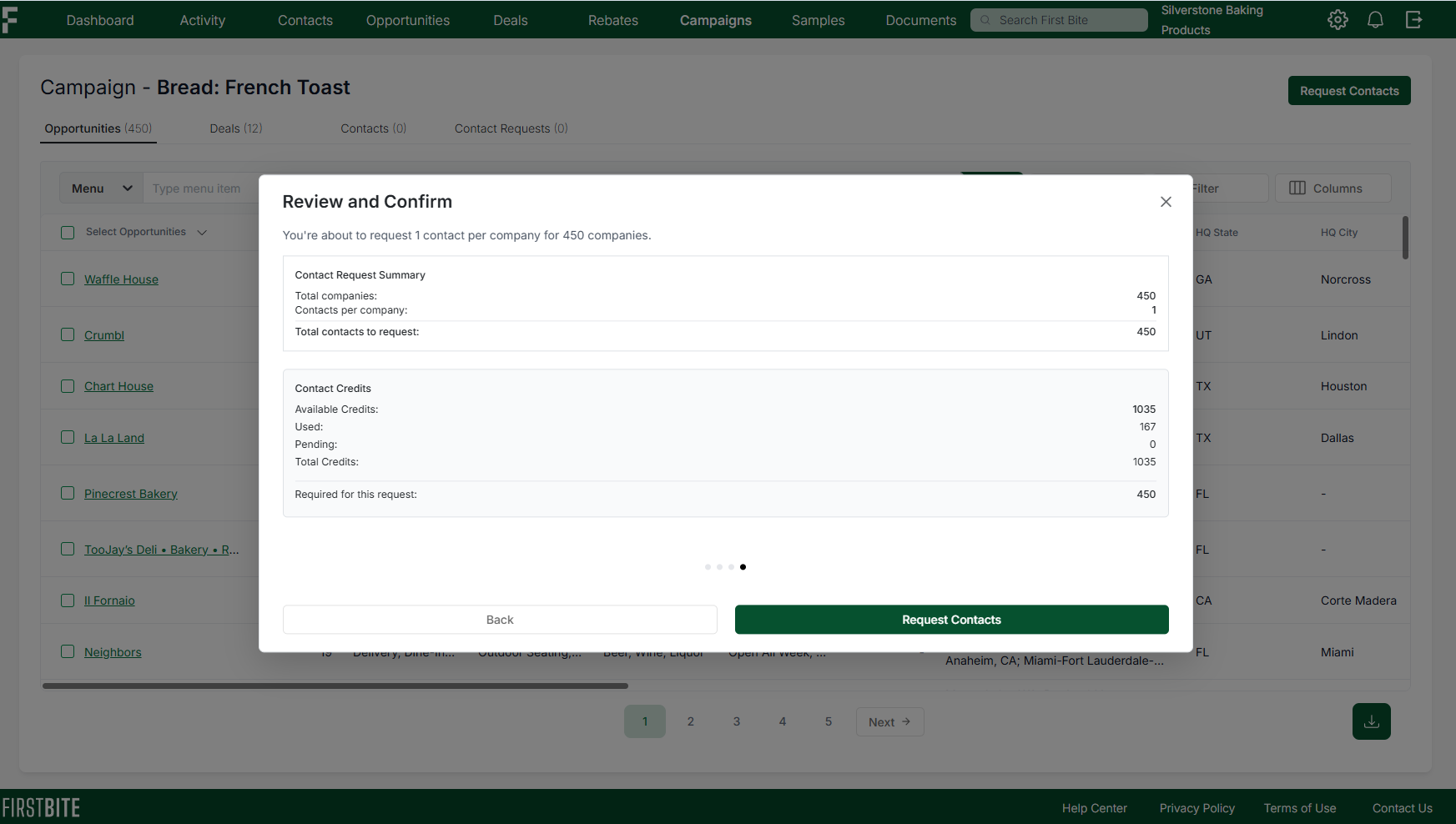
Requesting Additional Contacts from a Campaign
If you request contacts for a campaign and later add additional Targets to that same campaign, you can request contacts for only the newly added Targets. To do this:
Go to the Campaigns page > select your campaign > Click on
Request Contactsin the top right corner as you normally would to request contacts.The first page that pops up is where you'll choose to include these targets in your request:
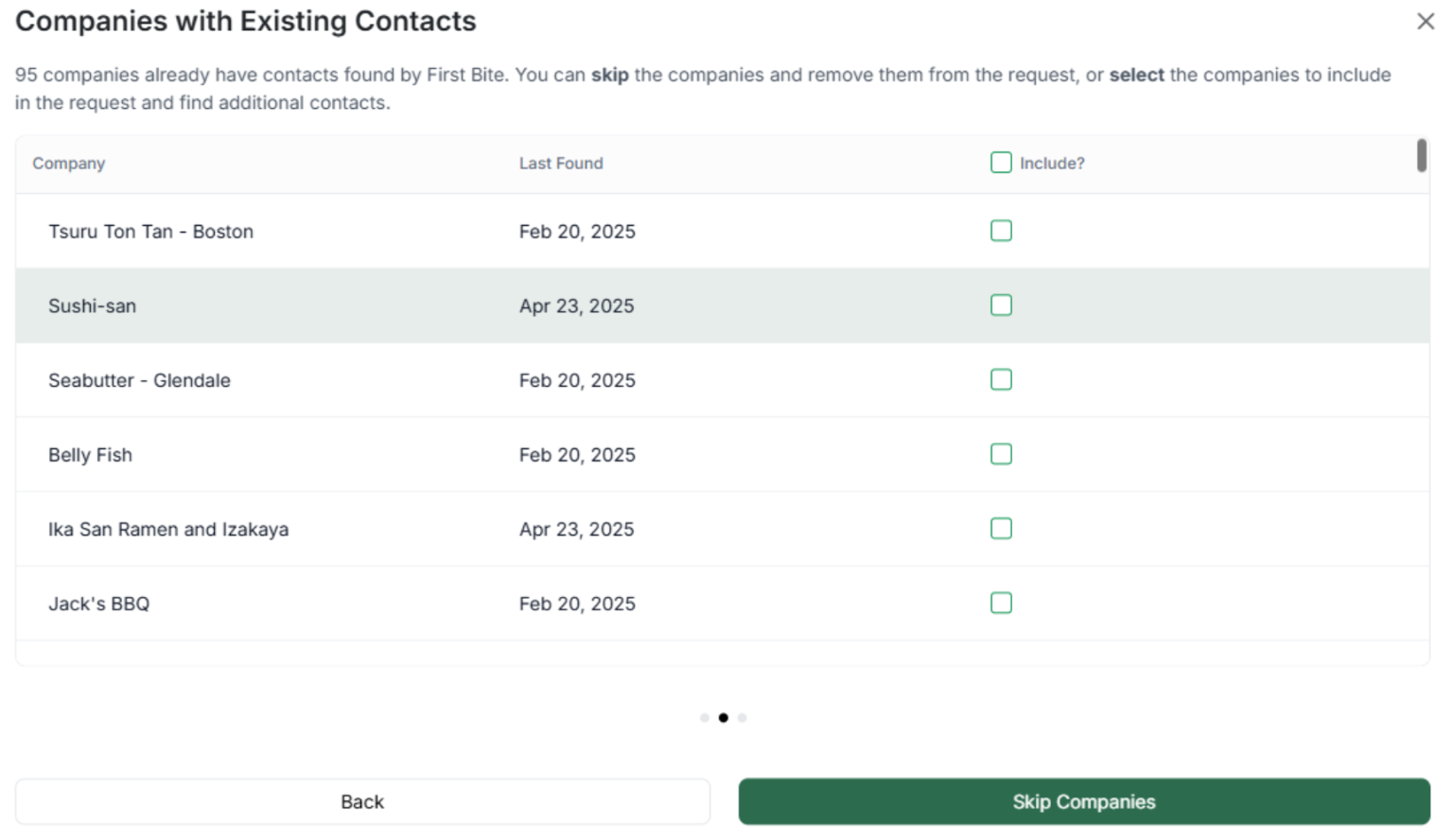
This pop-up lists all campaign Targets that you’ve already received contacts for.
To receive new contacts for these Targets, click the box to select them. This will include them in the list on the next page to request contacts. If you do not wish to request new contacts, leave the box unchecked.
Once you’ve skipped (or chosen), the next page will list your newly added Targets.
You can now review this list, select the number of contacts you’d like for each company, and submit your request.
Best Practice for Requesting Contacts
Optimizing Campaigns
Limit contact requests per campaign to between 200 and 500. This allows you to:
Target your messaging: High contact counts indicate a lack of specificity in targeting. Filtering down allows for more specific messaging which ensures a higher likelihood of response.
Iterate your campaigns: Smaller campaigns allow you to learn from each campaign and improve your outreach on the next round. Focus on improving your response rates rather than mass emailing.
Outreach is typically best with a targeted and personalized approach as opposed to mass sending.
First Bite excels at market segmentation. Take advantage of it!
Requesting Multiple Contacts per Company
When requesting contacts you have the option to choose the number of contacts you want to receive per company.
You might request more than one contact if:
You’re running a highly targeted campaign on a specific company.
You’re targeting larger chain companies (for example: >50 doors). This is because there are generally a higher number of decision makers.
In these cases, it would be worth requesting 2-3 contacts per company.