Activity Page Overview
Last updated: March 2, 2026
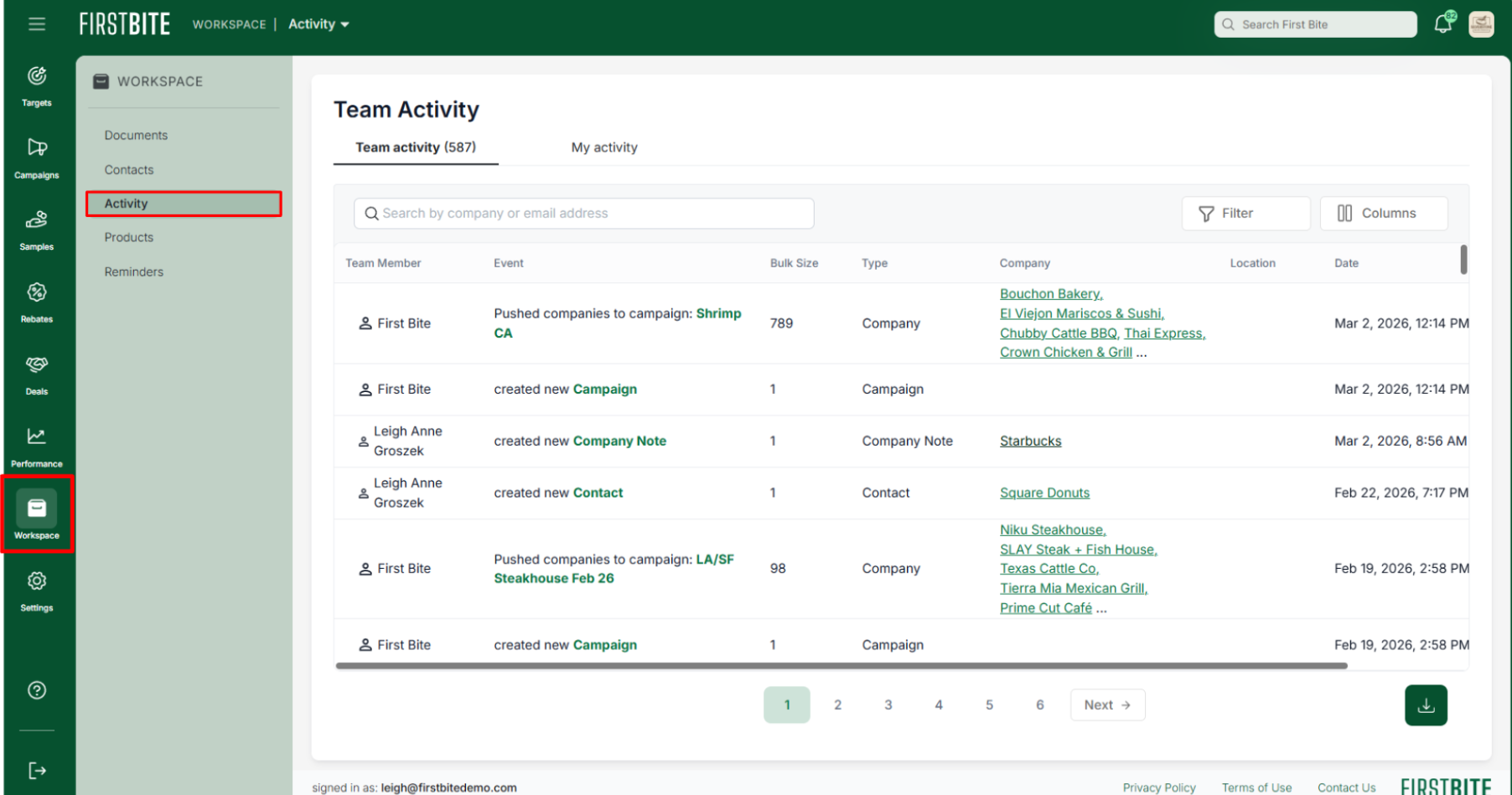
The Activity Page (Located in Workspace > Activity) provides visibility on all actions performed across your team, including the creation of or changes made to deals, contacts, companies, and campaigns.
Visit consistently to stay informed of your team’s most recent actions and coordinate next steps.
Activity Tables
You can search and filter the following tables on this page:
Team Activity
My Activity
Example Events that will populate the Activity tables
Adding, editing, or deleting Contacts, Companies, or Deals
Applying or editing Tags, Labels, or Company Notes.
Changes to Products or Campaigns

What you can do on this page
Track changes made to Contacts, Companies, Deals, and Campaigns
Filter for activity over a period of time.
Find updates related to a specific business, team member, or action.
Filter for type of change or object (e.g., only Deals or only Contacts)
How you can use this information
Evaluate and coordinate next steps
Review recent actions to understand current status
Identify where follow-up is needed
Review with the team to stay aligned
Use as a reference point
Refresh your memory before meetings or calls
Check history for an account before planning outreach