How do I invite a teammate?
Last updated: June 8, 2026
The more your team adopts First Bite to manage their sales, the more powerful it becomes.
To invite a teammate:
Navigate to Settings > Team > Users Tab and click on
Invite User.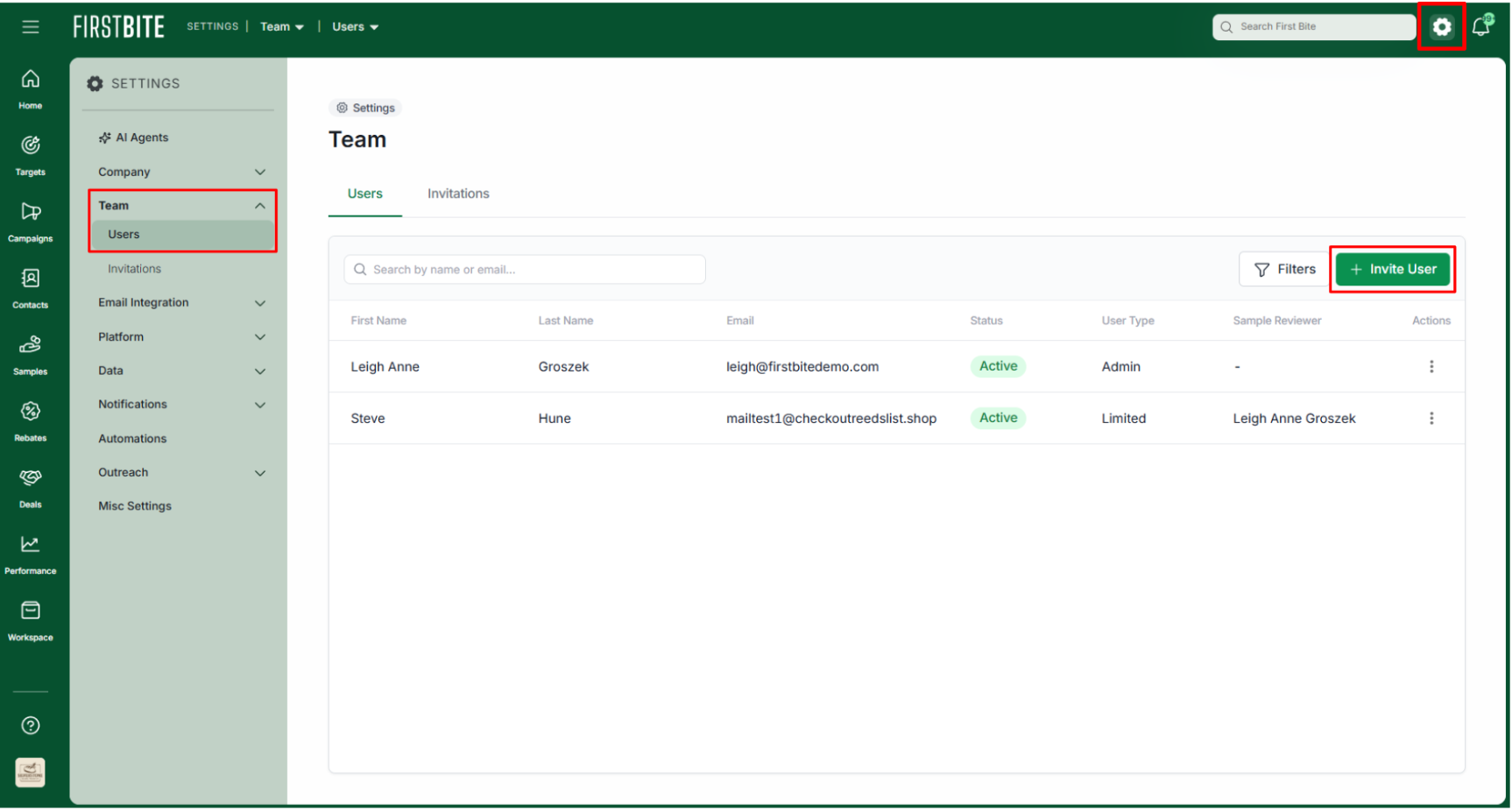
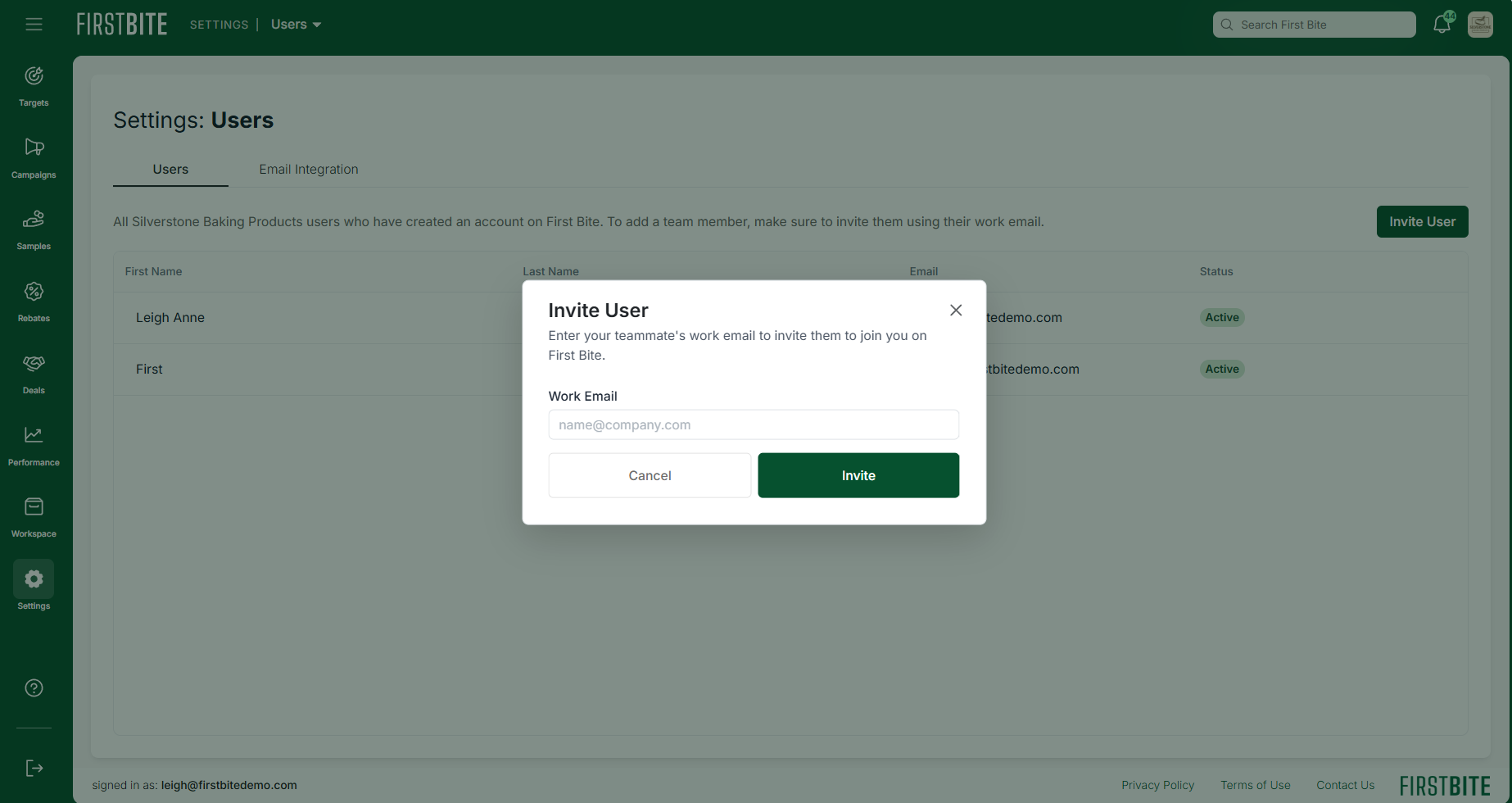
Enter your coworker’s email and click
Invite.💡 Tip: make sure to use their work email
They’ll receive an email inviting them to join your team on First Bite
💡 Tip: they may need to check their spam folder 👀
If they need any help, reach out to your First Bite account manager or contact our customer success team at success@firstbite.io.