Email Inboxes within First Bite
Last updated: April 9, 2026
The Email Inbox in First Bite brings your conversations and pipeline together in one place. You can view emails tied to company contacts, assign threads to deals, and track communication directly within your sales workflow. In this article, we’ll cover how to access your inbox and explore its core features.
Accessing Your Email Inbox
Your inbox is accessible in each company page via the Emails tab at the top and shows messages related to company contacts.
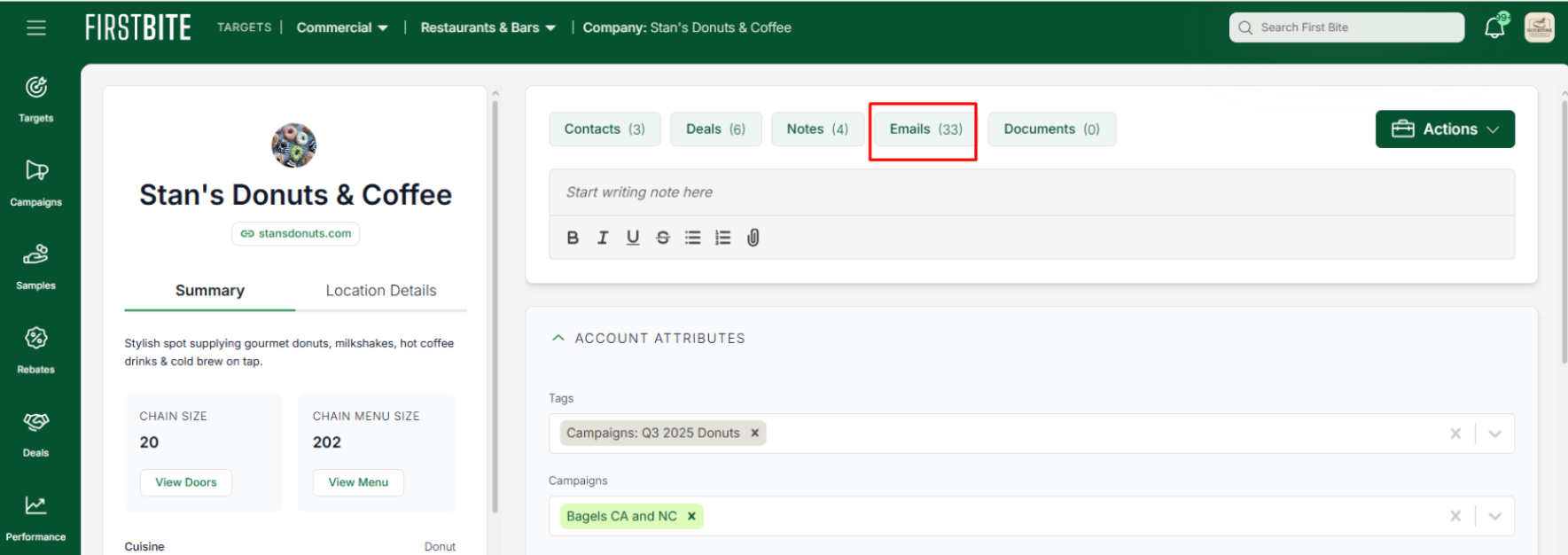
Emails are only pulled into First Bite if they match a contact in your contact list.
From within the company inbox, you can assign email threads to a deal. You'll know a thread is assigned to a deal because you'll see the deal ID next to it.
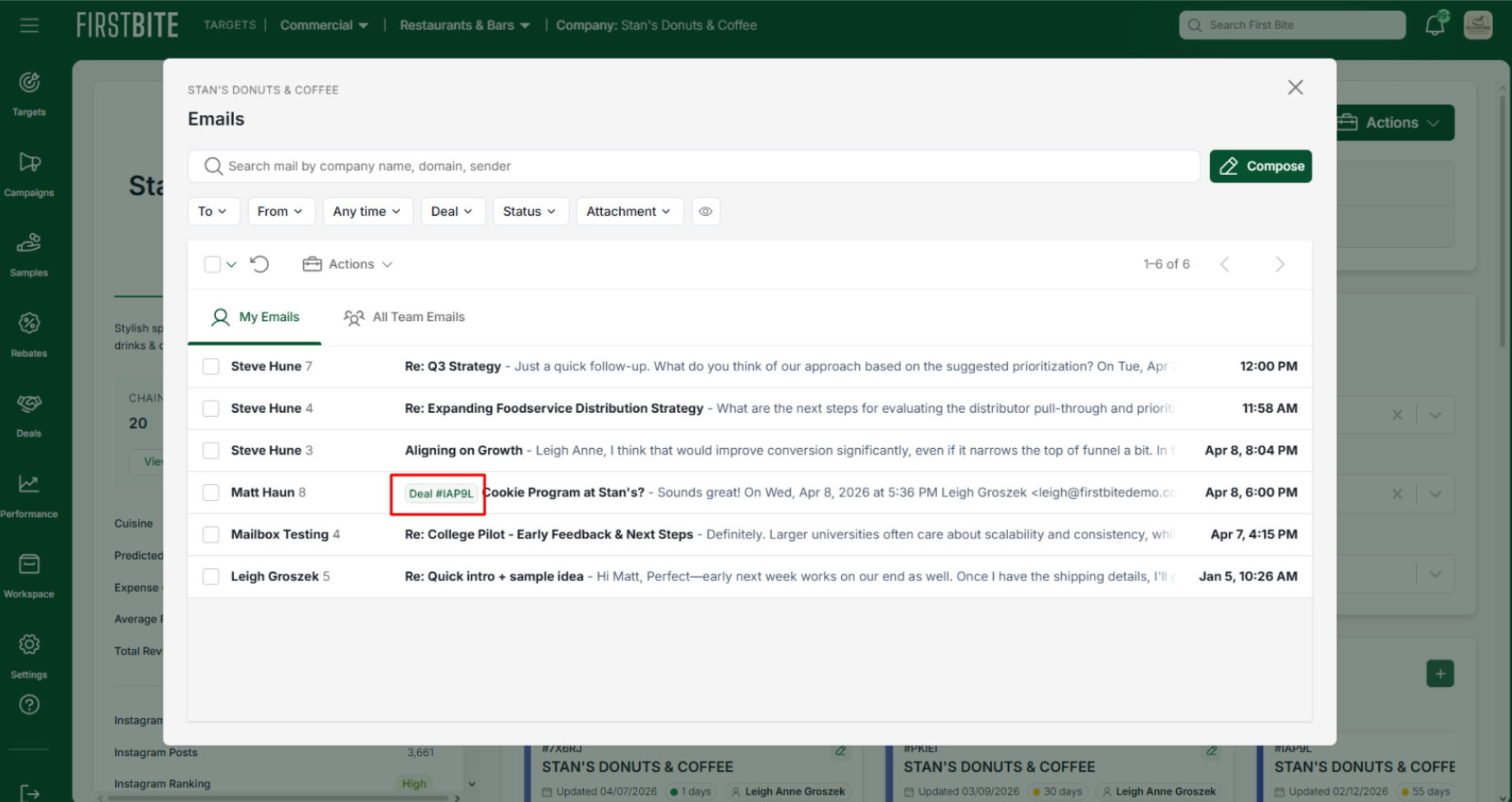
These email threads will then be visible within the deal's inbox.
The deal page is the second place you can view your messages.
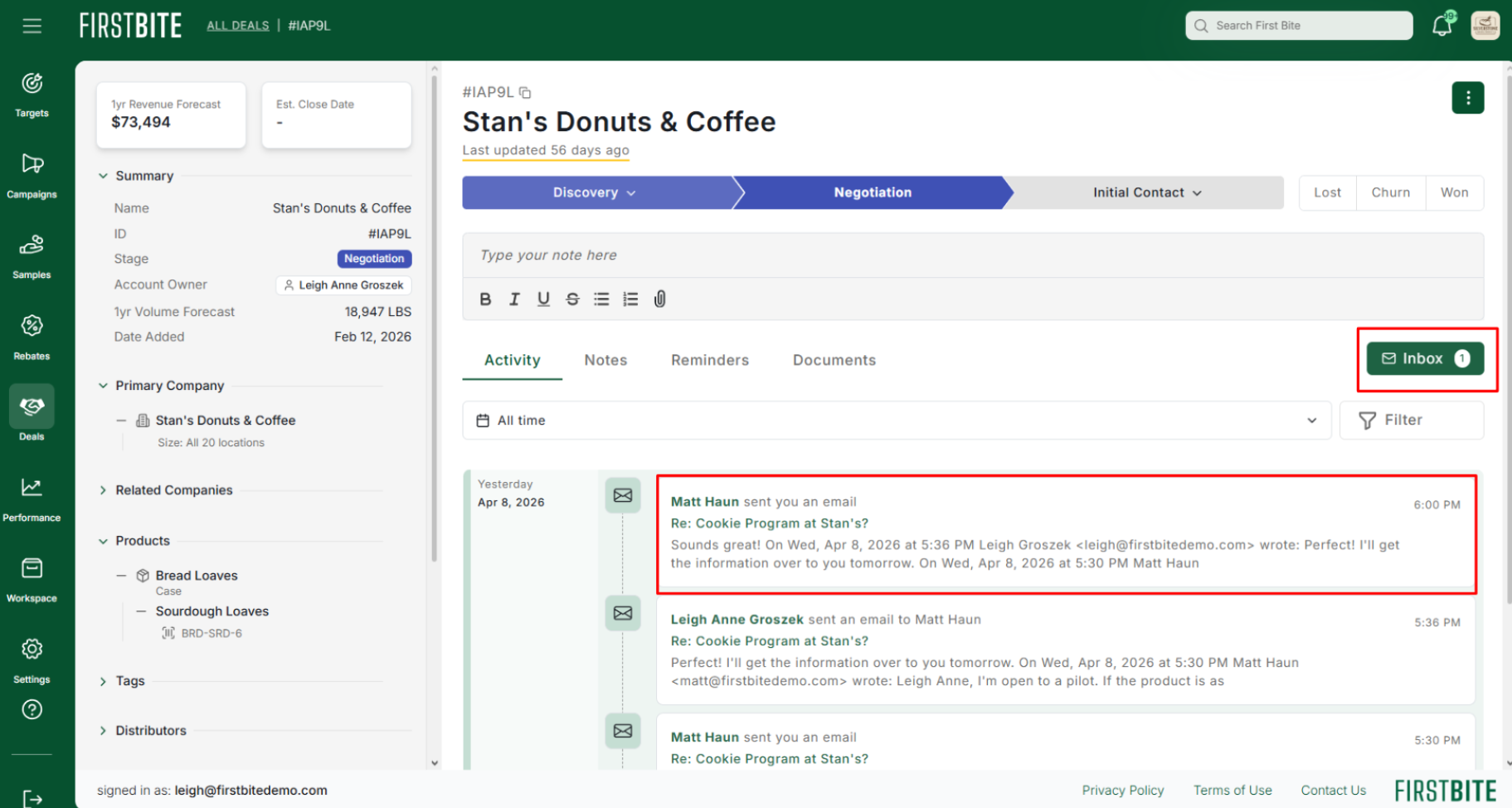
To access your inbox from the deal detail page, you can click on the Inbox button.
The Activity timeline will also show you when messages associated with this deal are sent and received. You can click on the message directly to open that email.
Inbox Features
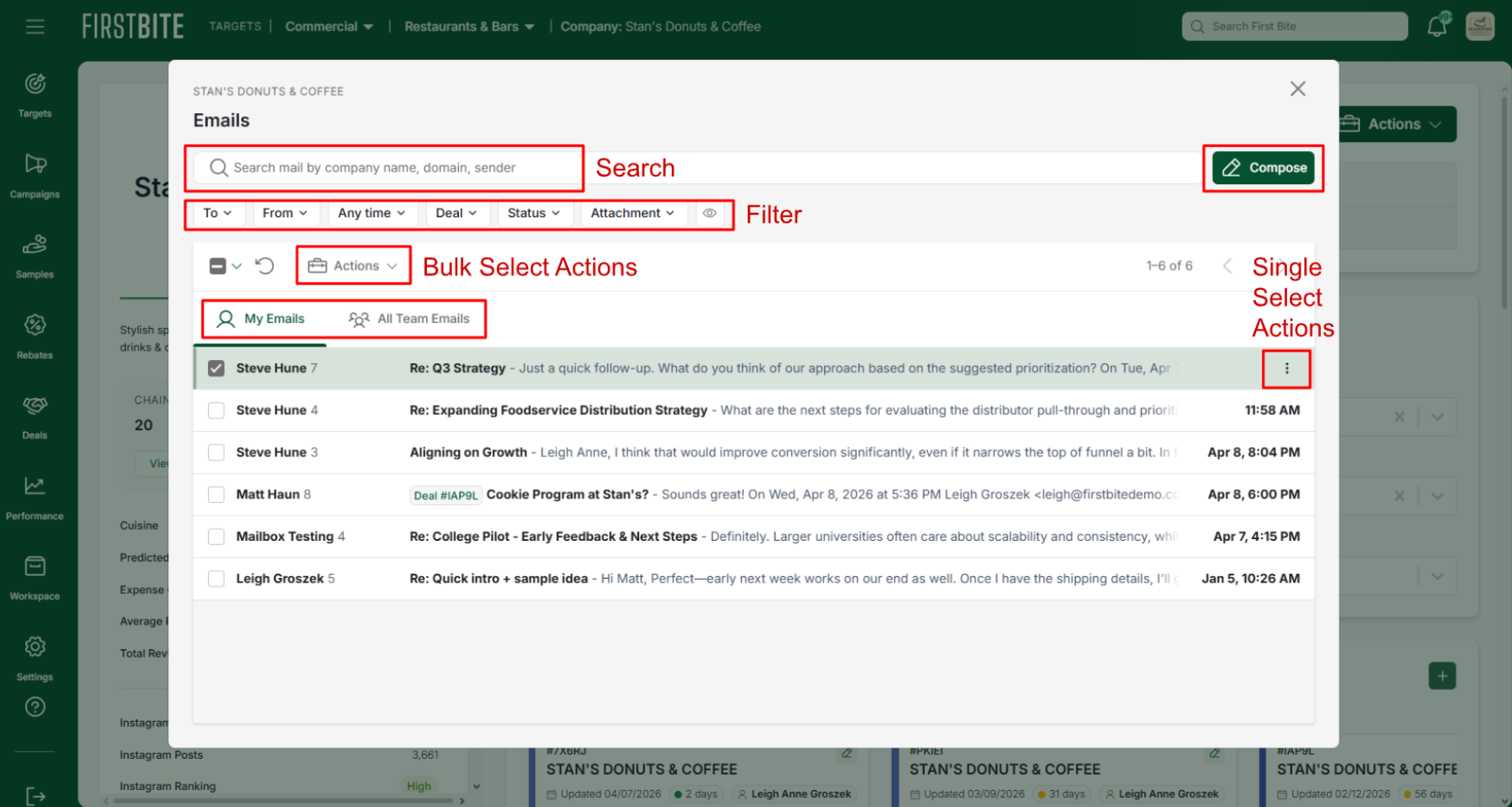
Within your Inbox, you can scroll through email threads connected to any of the company's contacts. Click on the thread to view it or compose a new email. Additional features include:
Search your inbox for sender, domain, or email subject line.
Filter your messages by sender, deal, or attachment. You can also toggle between visible and hidden threads.
Bulk select to take action on multiple threads or hover over a single thread and use the 3 dots to take action.
Assign or unassign threads to deals. (this allows the thread to become visible in the deals inbox)
View your own emails or view your entire team's interaction with the company's contacts.
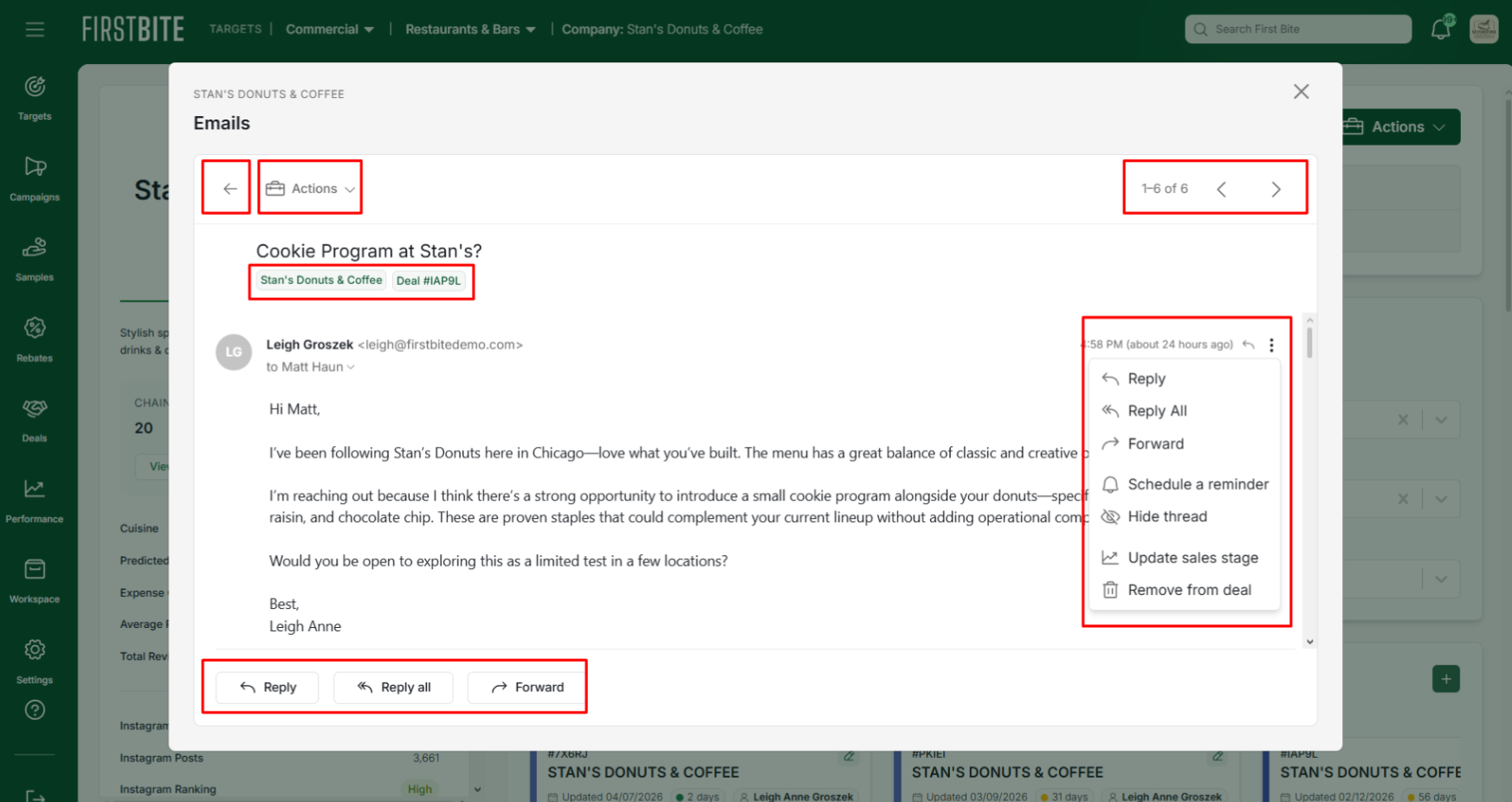
Within each thread you can reply to messages or page through the inbox threads using the arrows in the top right corner. Additionally, you can:
Return to your inbox using the left arrow in the top left corner.
Assign the thread to a deal or, if already assigned to a deal, edit the sales stage of that deal.
Use the tags at the top of the page to open the associated company or deal page.
Hide the thread in the main inbox view.
Create a reminder associated with that company.