How do I correct data on company pages?
Last updated: March 10, 2026
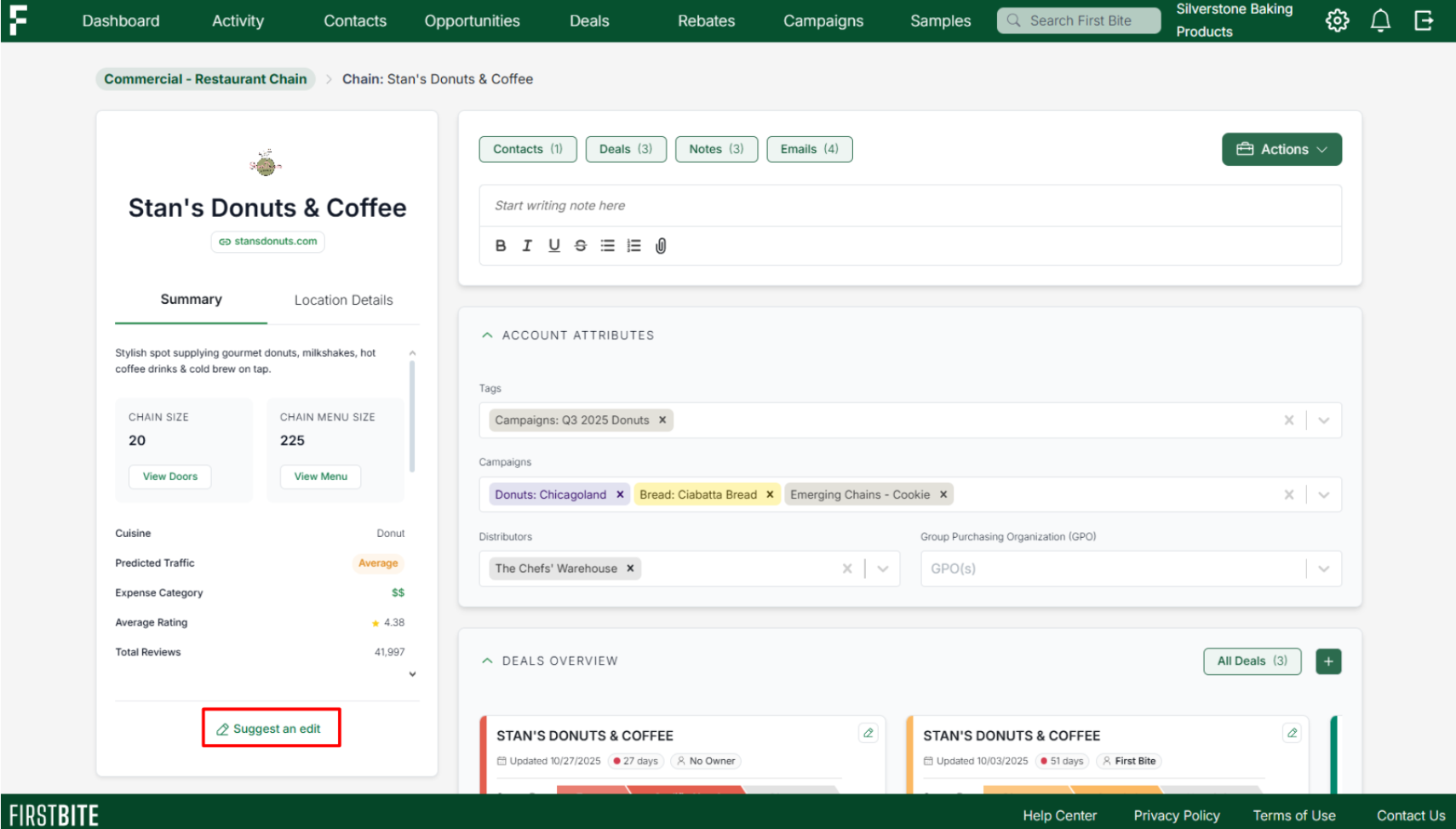
If you see that data on a company page in First Bite is inaccurate or missing, you can submit a correction using the Suggest an Edit button at the bottom of the left side panel on the company page.
You might need to correct details like:
Wrong target type (e.g., a college listed as a restaurant)
Incorrect company name
Incorrect website/domain
Missing doors in a chain
Doors not linked to the right chain
Missing company details
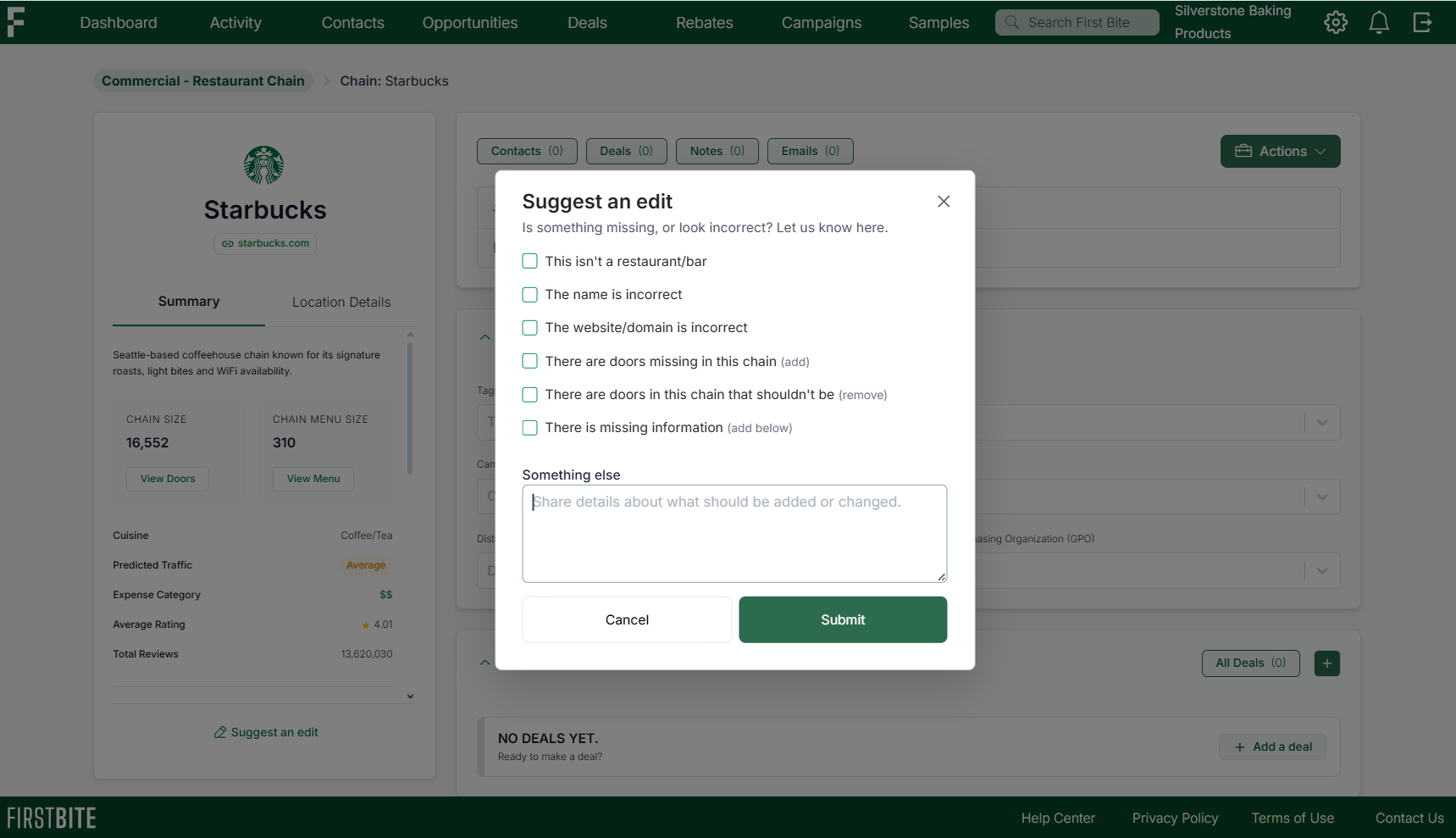
When you choose one of these options, a dropdown will appear where you can explain what needs to be fixed.
If your correction doesn’t match the listed options, select “Something else” and provide clear details about the update you’d like to request.
All correction requests are reviewed by the First Bite team to confirm whether an update should be made.
Example
A company is incorrectly listed as its own chain (Sticky Fingers) when it should actually be a door within the chain (Sticky Fingers Sweets & Eats). Submitting a correction ensures this relationship is shown accurately.
(Note: The Suggest an Edit button has moved to the left side panel since the creation of this video, but the function of the button itself has not changed).