Building Sales Campaigns
Last updated: August 17, 2026
Learn how to build your first campaign In First Bite.
What are campaigns?
A campaign is a coordinated effort to reach a group of target companies using various sales or marketing tactics, such as emails, calls, or digital marketing. First Bite campaigns include a sequence builder that will allow you to create and send email steps to the companies (and their associated contacts) that you're targeting.
Think of a Campaign in First Bite as your container for structured, measurable outreach. It’s where marketing and sales activity are grouped together so you can launch, monitor, and optimize operator engagement efforts all in one place.
Types of Campaigns
TAM / White Space Campaigns — Broad prospecting to companies that fit your ideal customer profile but aren’t currently buying your product.
Menu-Fit Campaigns — Target companies based on menu items, ingredients, cuisines, or concepts that indicate a strong fit for your product.
Competitive Campaigns — Target companies currently using or likely using a competing product and position yours as an alternative.
Regional Campaigns — Focus outreach on companies or doors within a specific state, metro, DMA, or sales territory.
Chain Campaigns — Target multi-location restaurant groups or chains that could create larger-volume opportunities.
Product-Specific Campaigns — Build a campaign around a particular SKU, product line, flavor, format, or use case.
Re-engagement Campaigns — Reach back out to previous prospects, stalled opportunities, old leads, or companies that haven't responded recently.
Event or Timely Campaigns — Outreach tied to a trade show, seasonal menu planning, product launch, limited-time offer, or other timely reason to connect.
The most effective campaigns focus on high-value segments and employ strategies tailored specifically to connect with those segments.
The more specific you can be in your targeting, the more directly you can connect with operators. For example, creating a regional campaign focused on a specific chain count will create more connection points than simply attempting to connect by region. Use this to your advantage when writing copy.
Learn more about segmentation here.
How Campaigns Work
Group Outreach Efforts – Instead of sending isolated emails or calls, Campaigns let you organize a coordinated set of outreach activities (email sequences, calls, touches, etc.) with personalized messaging tied to a specific goal.
Filter by Target Segment – Plan campaigns so you can compare results across different operator segments (like cuisine, geography, or operator type).
Track Performance – You can see how many contacts were requested or added for your Opportunities and what deals came from that outreach, so you can see how outreach translates into real revenue impact.
Measure ROI – Take advantage of First Bite’s Campaign metrics to assess not just who engaged, but which outreach drove actual closed business.
How to Create a Campaign in First Bite
Identify which Target type you want to focus on (Restaurants & Bars, Lodging, Hospitals, Convenience Stores, etc).
You can type switch using the left side bar or dropdowns at the top of the page.
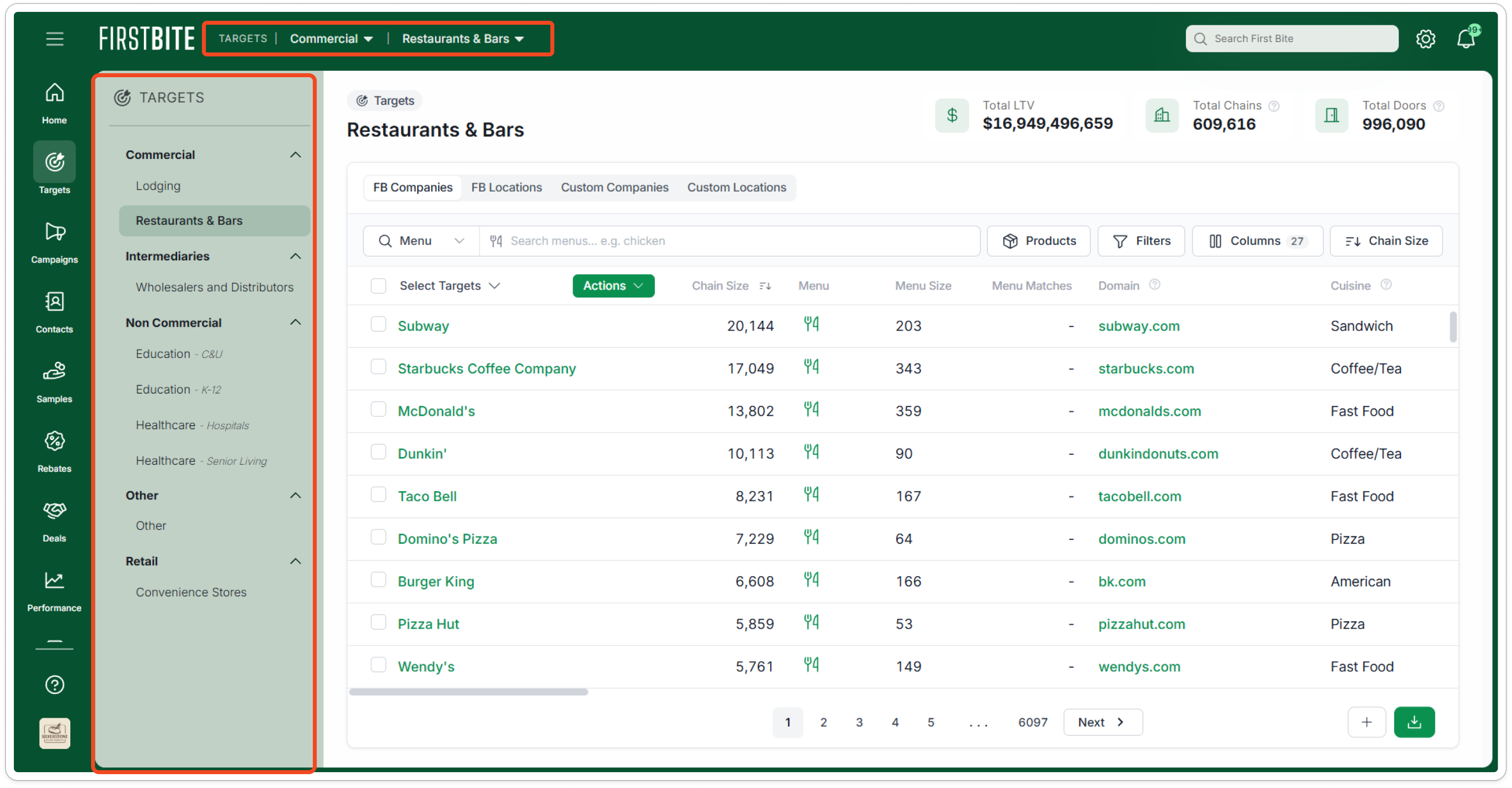
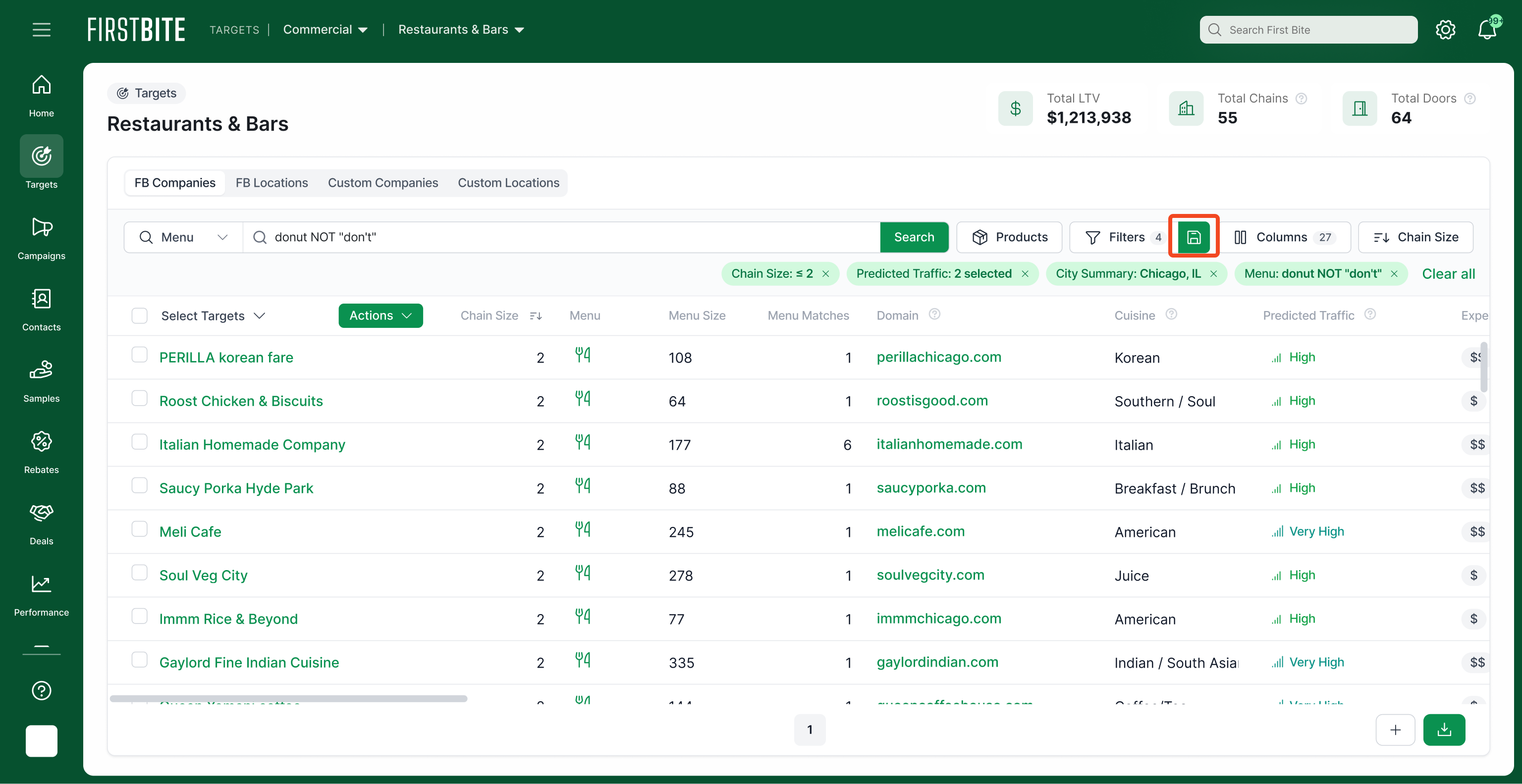
Search and Filter your Targets table of choice. Common filters include menu item search, Cuisine, Chain Count, and/or Location.
Once the drill down meets your criteria, you can save the filter if you're not yet ready to push to a campaign.
If you're ready to create your campaign, select the targets you'd like to push to a new campaign and name that campaign.
This will automatically save a filter that you can reference later in Settings > Data > Filters.
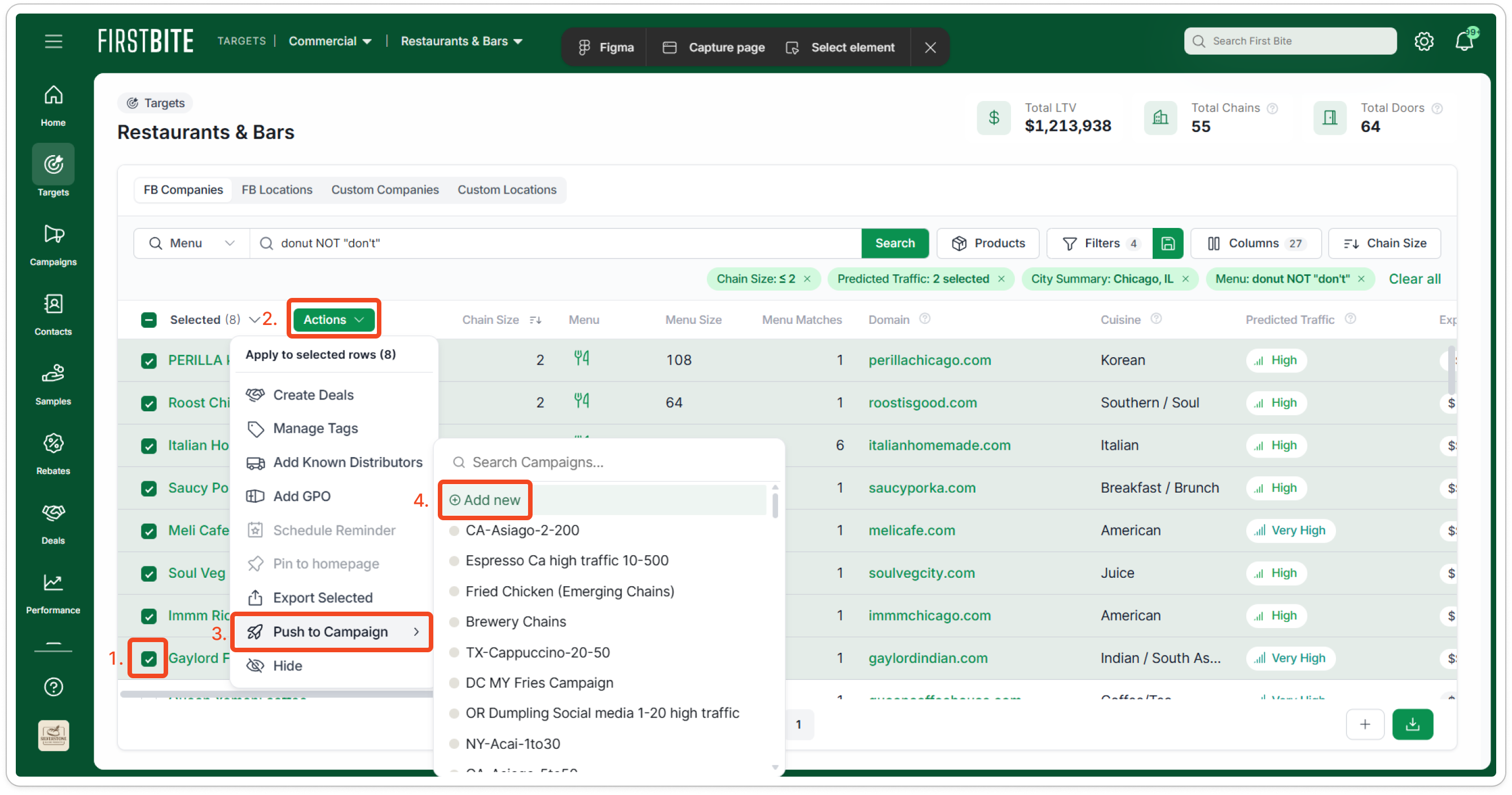
Once you have created a campaign and added your targets, you can take the next step of requesting contacts.
Campaign Best Practices
Tip: Small, but not too small
The best-performing campaigns are relatively small.
The most successful campaigns typically involve super narrow segmentation, targeting between 200-500 locations. Here’s why small campaigns tend to outperform larger ones:
Iterative Learning: Small campaigns can be completed quickly, allowing you to learn and refine your targeting, messaging, and value proposition more frequently.
Scalable Personalization: Targeting similar operators within a small segment enables you to craft highly personalized messaging that resonates more deeply with your audience.
First Bite makes it easy to create and manage campaigns, reducing the effort required to keep track of them.
However, it’s important not to make your segments too small. Segments should be large enough to be impactful and to provide meaningful insights. Anything below 150 target companies may not drive sufficient sales or might make it difficult to discern valuable patterns amid the noise.
Tip: Create a Campaign Schedule
Create a list of your first 5 campaigns, and then knock them off one at a time adjusting your prioritization as you learn from the market. This will help you expand the universe of ideas you test.
Example Campaign Schedule
Campaign Name | Filter | Month |
Commercial Restaurants NYC #1 | Nutella on menu + New York + 3-10 units + high traffic | July |
Commercial Restaurants Chicago | Nutella on menu + Chicago + 3-10 units + high traffic | August |
Big Chains | 20+ units, any dessert | September |
K-12 - New York | School districts in New York State, >1000 meals per day | November |
Tip: Align on Campaign Naming Conventions
Create naming conventions for your campaigns, As you create more campaigns, it’ll become increasingly important to make sure your campaigns are organized.
Tip: Example Campaign
Imagine you’re among the lucky few tasked with selling a delicious hazelnut chocolate product to restaurants. 🧁 🍰 🍮
You might have already decided to target foodservice operators that feature desserts on their menus, but with 250,000 potential locations, that's a vast market to tackle. Even if you narrow it down to operators who already offer Nutella, you're still looking at 30,000 locations!
To create a more manageable and effective campaign, focus on specific attributes that bring the campaign to a more manageable size and unlock scalable personalization.
Example: Nutella on menu + New York + 3-10 units + high traffic
Then, you can pitch a similar, personalized message to 200 or so similar operators, streamlining your efforts and increasing the likelihood of success. Once this campaign is complete, you can move on to the next one, continuing to refine your approach based on the results. Using First Bite, you can also exclude any locations already targeted, and concentrate only on white space.