Deals Page Overview
Last updated: March 9, 2026
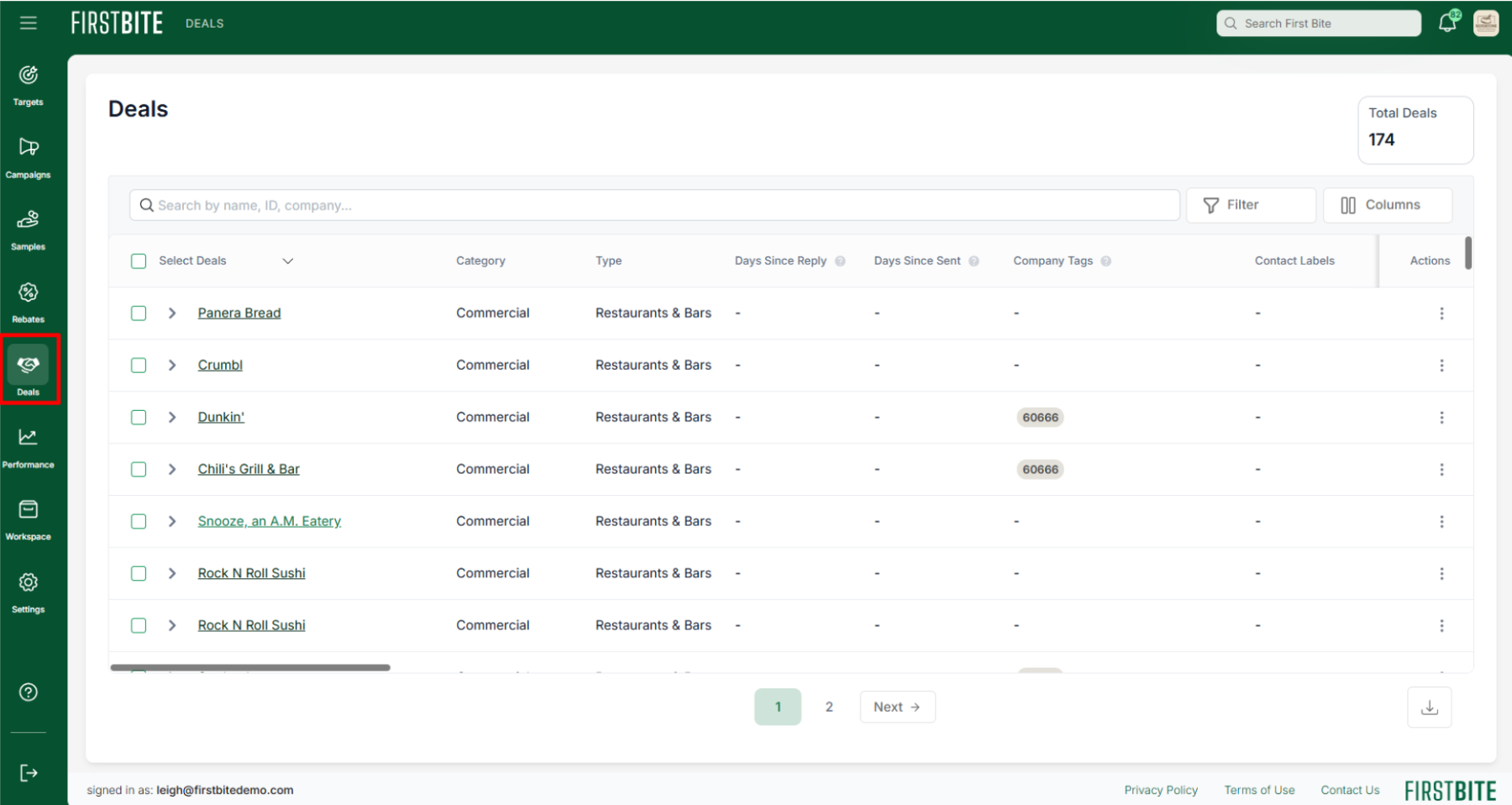
The Deals section is where you can view, manage, and act on all deals created by you and your team.
The Dashboard page (located in the Performance Section of First Bite) offers a companion table called the 'Companies in Pipeline' table which allows you to view deals aggregated by Company.
You can create deals at any point during the prospecting process—whether you’re in the Targets section, Campaign section, Deals section, or within a Company profile.
All deals will appear on this table once created.
To customize your pipeline stages, navigate to Settings > Sales Stages.
Key Actions You Can Take in the Deals section:
View and Manage Your Deals
Customize Your Table View to Manage Your Pipeline
View and Edit Your Deals
View and search all deals created by your team in one place
Click anywhere on the deal line (or use the toggle) to see a history of deal edits
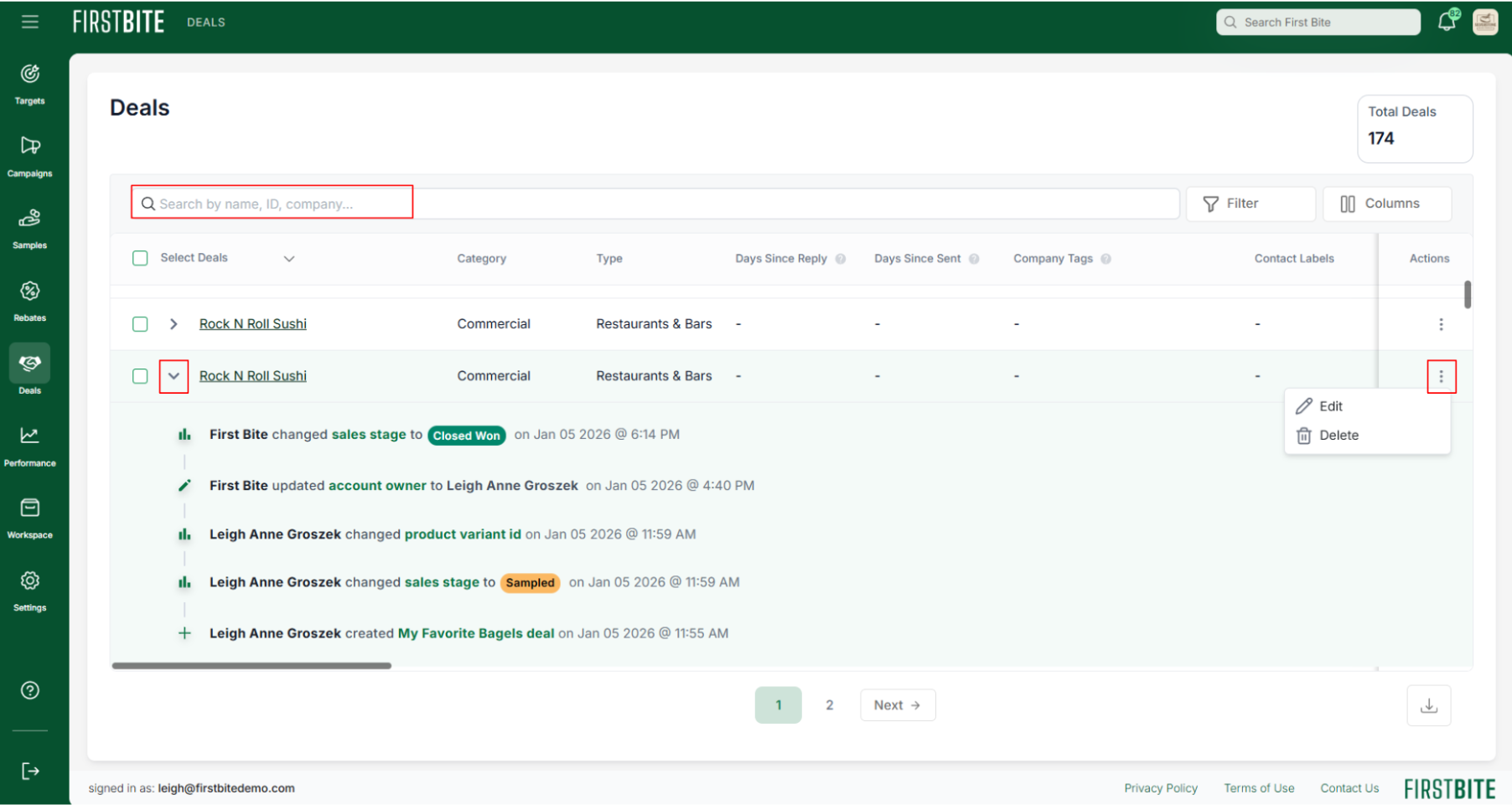
Click the three dots on the right side of the table to edit the deal’s details, including changing the Sales Stage and adding Deal Notes.
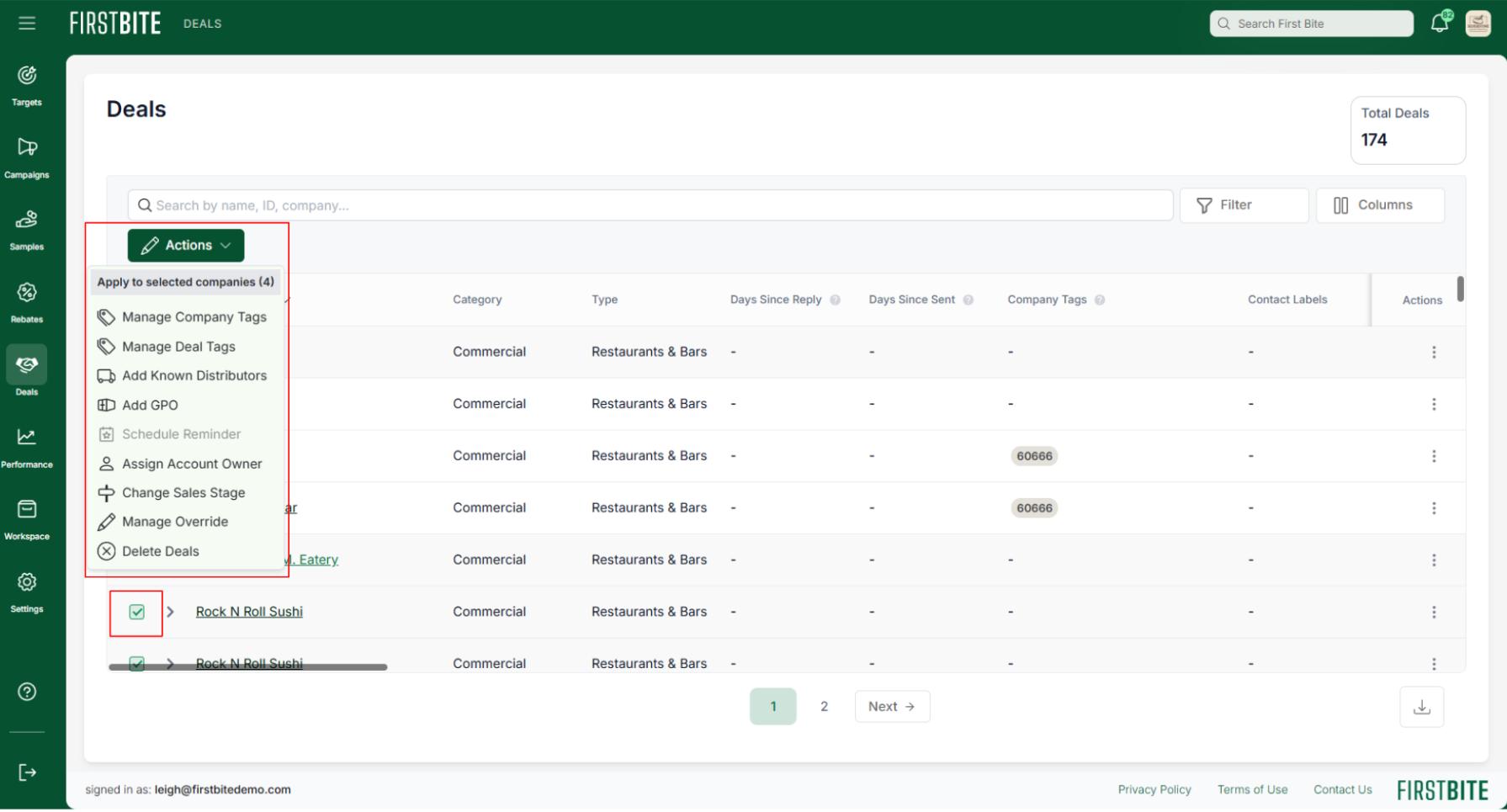
Select multiple deals for bulk editing.
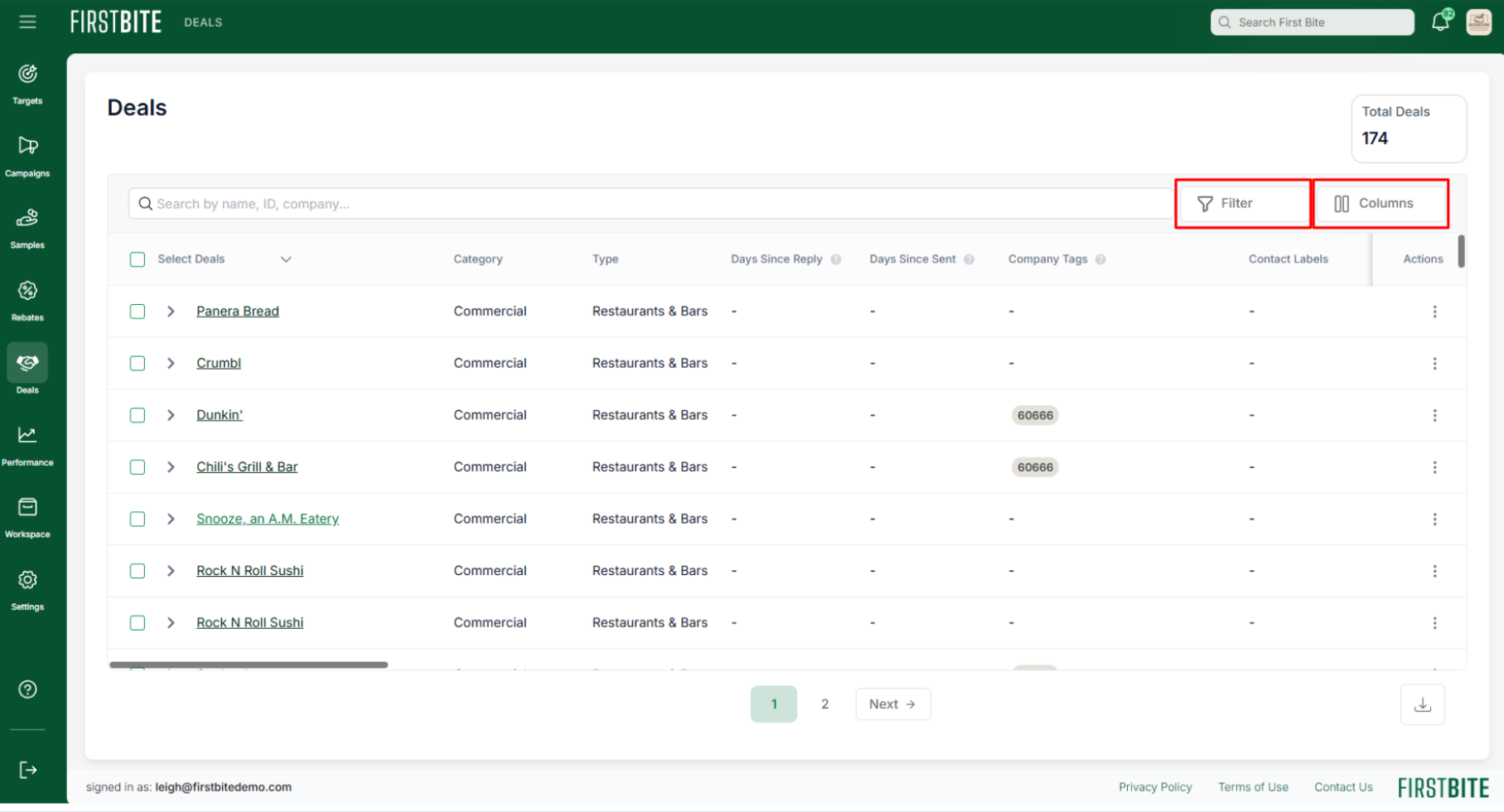
Customize Your Table to Manage Your Pipeline
Adjust column visibility to show deal makers and deal breakers
Sort columns to spot neglected deals and prioritize follow-up.
Apply filters to narrow by pipeline stage, account owner, or deal attributes.
Example: Filter by sales stage to concentrate on a specific part of the pipeline and streamline workflow
Example: Filter by account owner to manage your own deals
Use saved filters to streamline your daily workflow
⚠ Deleted deals cannot be recovered