Understanding Products & Product Variants
Last updated: March 29, 2026
Overview
When adding your product portfolio to First Bite, it’s important to structure your offerings in a way that supports accurate forecasting, deal creation, and rebate targeting. This starts with understanding the difference between Products and Product Variants.
Getting this structure right from the beginning ensures consistency across your CRM, sales pipeline, and rebate setup. The guide below outlines how to define Products vs Variants effectively within First Bite.
Product
Products represent major product lines or brand families—these are the core units tied to deals and forecasting.
Represents a product line or category, but does not usually have its own SKU.
Acts as an umbrella that encompasses product variants with similar SKUs.
Typically has a unique pricing structure or packaging format.
Product Variant
Variants capture the specific formats or flavors within a product line, enabling more granular tracking and targeted rebates.
Represents a specific version or format of a Product with a distinct SKU.
Related SKUs can be organized as product Variants under the same product line.
Variants live underneath a Product and share similar pricing structure.
Typically vary by flavor or format, but share the same general identity and pricing.
Used for rebate targeting and more granular tracking.
Examples of Products vs Product Variants
Product | Product Variants |
Mozzarella Cheese | - 7lb Shred - Bag |
Cheddar Cheese | - White Cheddar, 5lb Slices |
Breaded Chicken Breast | - 6oz Filets (plain) |
Grilled Chicken Strips | - Frozen 5lb Bag |
Brioche Bun | - 4” Sliced, 12ct Pack |
Iced Tea Concentrate | - Classic Black, 1gal Jug |
Comparing Products and Product Variants
Feature | Product | Product Variant |
Definition | Distinct product line, family, or core offering | A specific format or flavor of a product |
Purpose | Core unit tied to deals and forecasting | Optional ties to deals. Enables detailed targeting in rebates and variant-level tracking. |
Pricing Differences | Usually distinct between products | Often the same or only slightly different within a product family |
Rule of Thumb | “What” you’re selling; If you know what a customer is buying, but not the specific details. | “How” it’s packaged, formatted, or flavored (specific details, subject to customer choice). |
Where to Create | Workspace → Products Products table | Workspace → Products in the Product Variant table Also available as the last step in creating a product. |
Practical Implications
Products and product variants are required for different aspects of First Bite. If you’re using these aspects, it’s important to know what level of detail is required for your product addition.
Products | Product Variants | |
Used In Deals? | ✅ Yes. Required when creating a deal | ✅ Yes. Optional |
Used in Forecasting? | ✅ Yes. Forecast is set per product (with cuisine/traffic modifiers) | ❌ No, Variants inherit product forecast logic |
Used In Rebates? | ✅ Yes. Required. | ✅ Yes. Required, with correct GTIN identification |
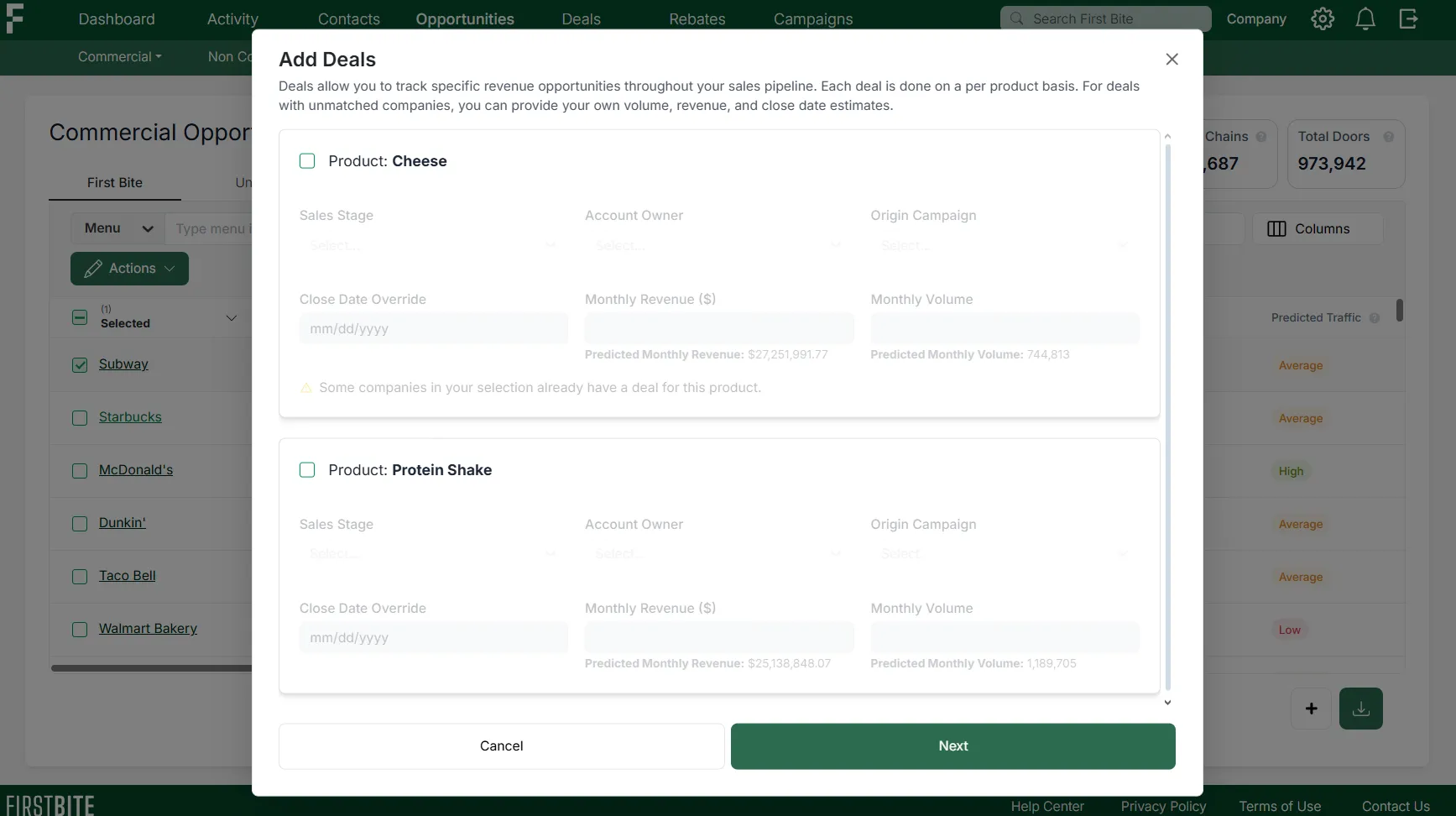
Deals: Require selecting a product. The ability to specify a product variant for deals is optional.
Forecasting: Calculated at the product level and incorporates modifiers like traffic, cuisine, and chain size. Product variants are not factored into forecasting.
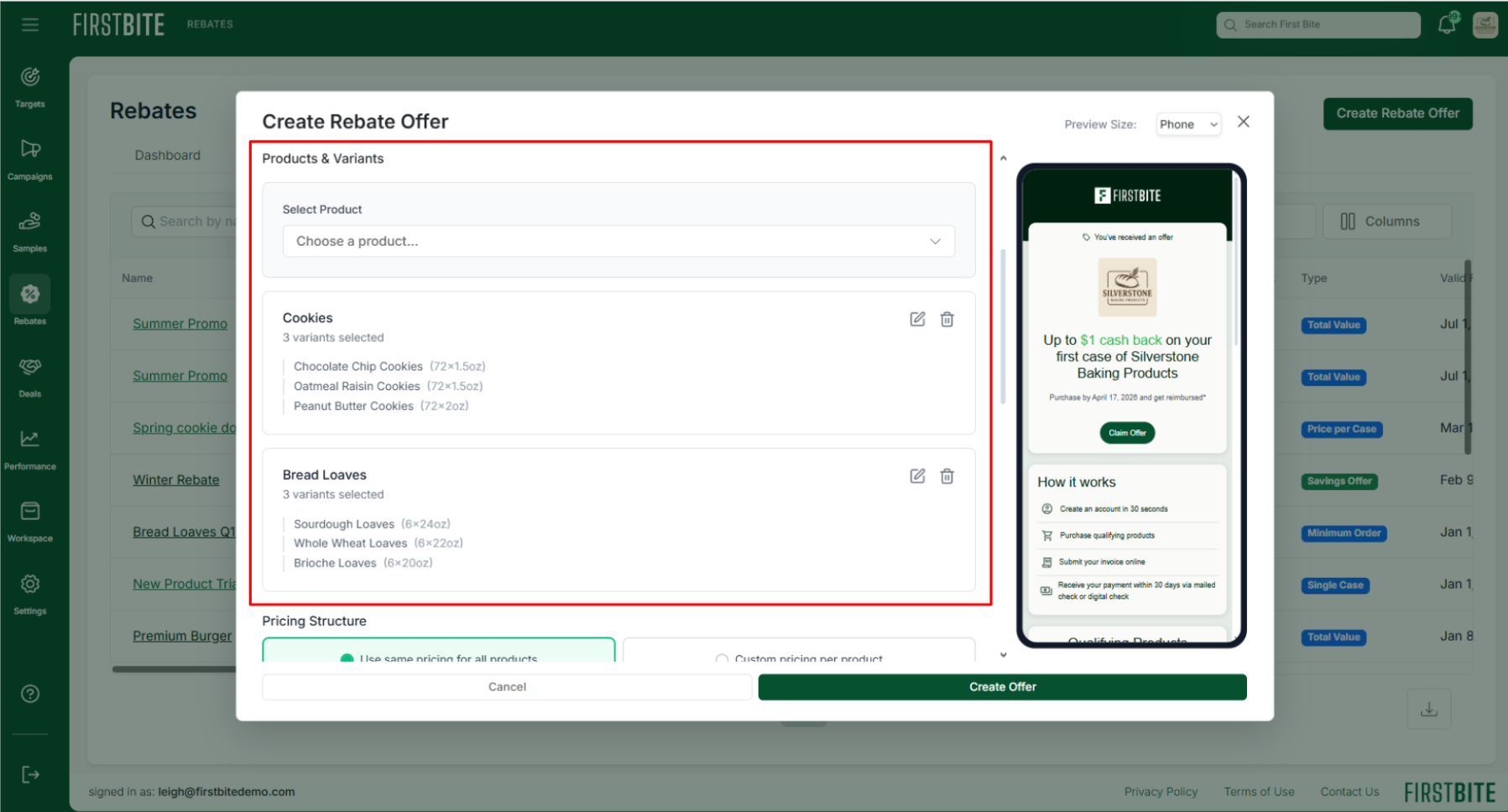
Rebates: Products and variant details are required for rebate creation. We use product format and GTIN number to accurately validate rebate claims submitted by operators.
How products look when creating a deal
💡Tip: Keep your initial product list simple. Start with major product families —you can always create more variants and refine forecasting later.
Rebates Recommendations
Make sure your product variants are clearly labeled and descriptive so customers can easily identify which items qualify for the rebate.
To ensure accurate tracking and reporting, products linked to a rebate offer are locked once the rebate is created. If updates are needed, you can simply delete the rebate, adjust the products or variants as needed, and recreate the offer with the updated selections.
Variant selection during rebate creation
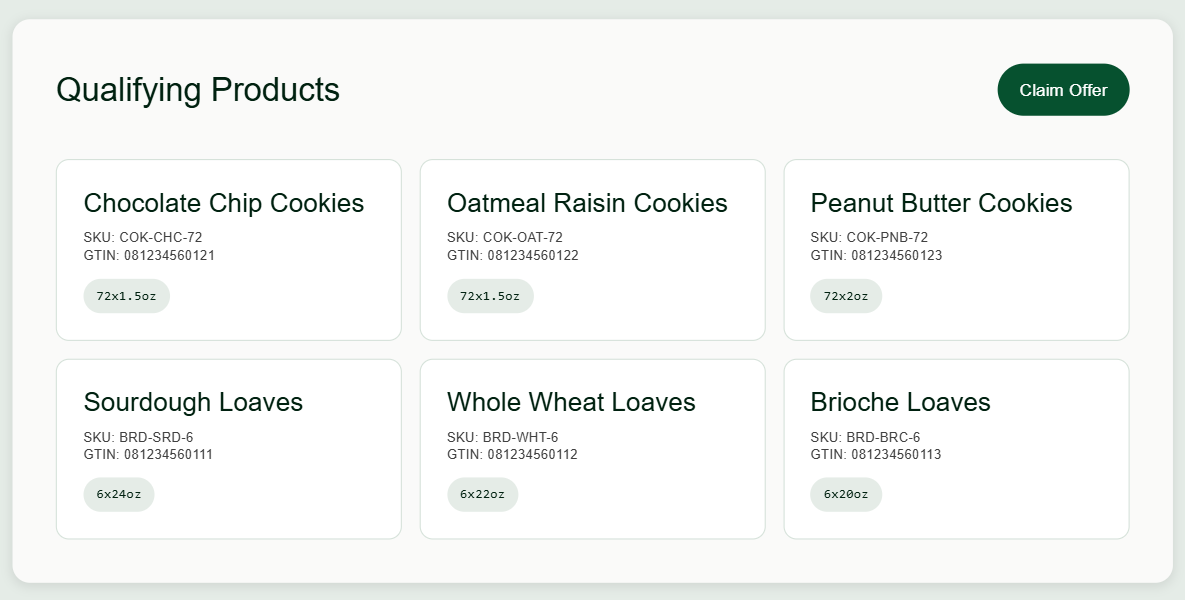
How variants appear to operators when viewing the rebate offer