Managing & Deleting Payment Methods
Last updated: June 3, 2026
Manage & Delete payment methods applicable to purchases within First Bite.
If you have added payment methods to First Bite and made purchases within the platform, you can manage this information by going to Settings > Company > Account > Manage Billing.
There, you can:
Add or remove payment methods
View and edit your billing information
View your invoice history
Deleting Payment Methods
If you would like to remove your payment method, do the following:
Go to Settings > Company > Account >
Manage Billing.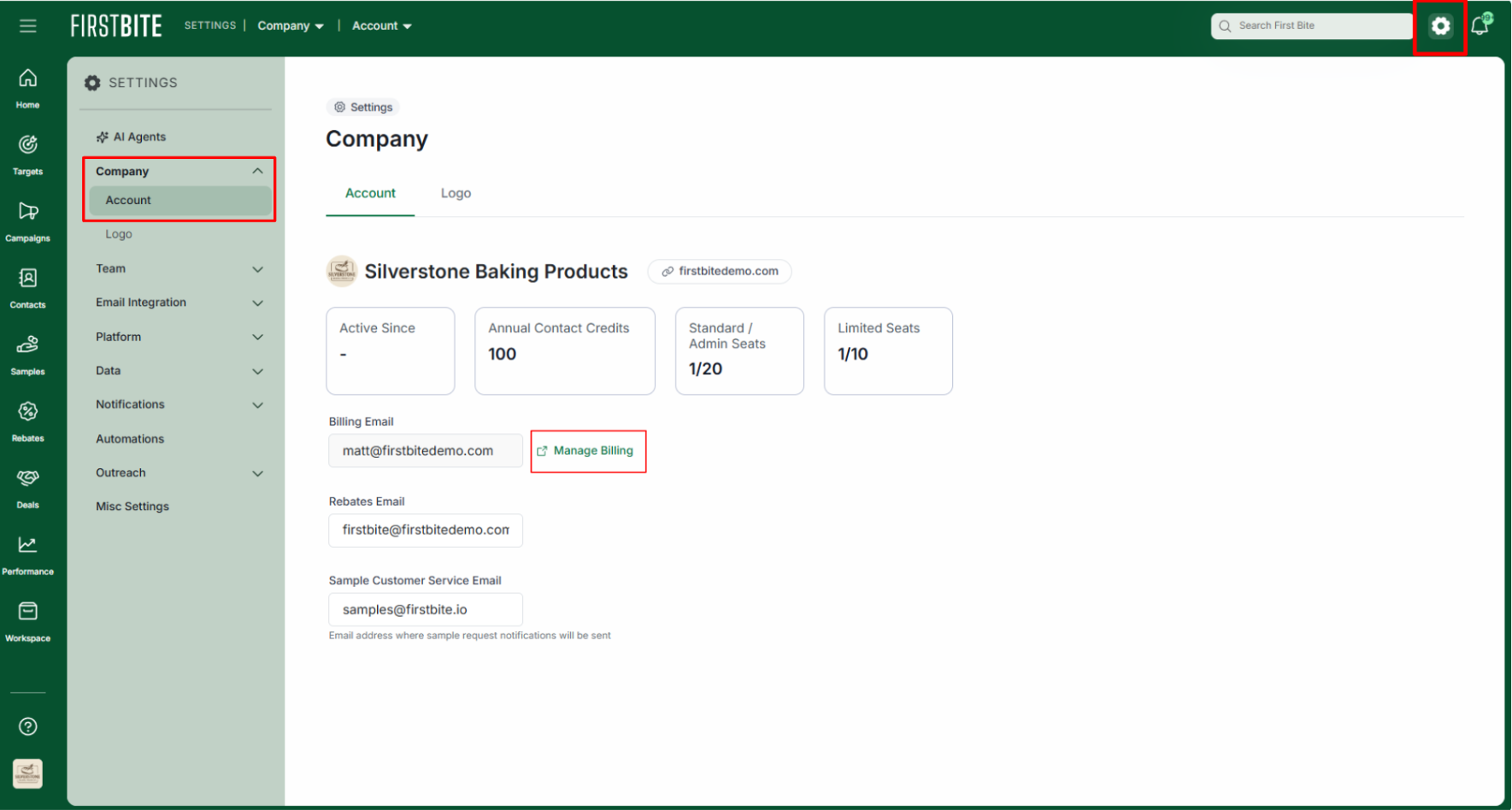
Click on the “x” to the right of the card being removed.
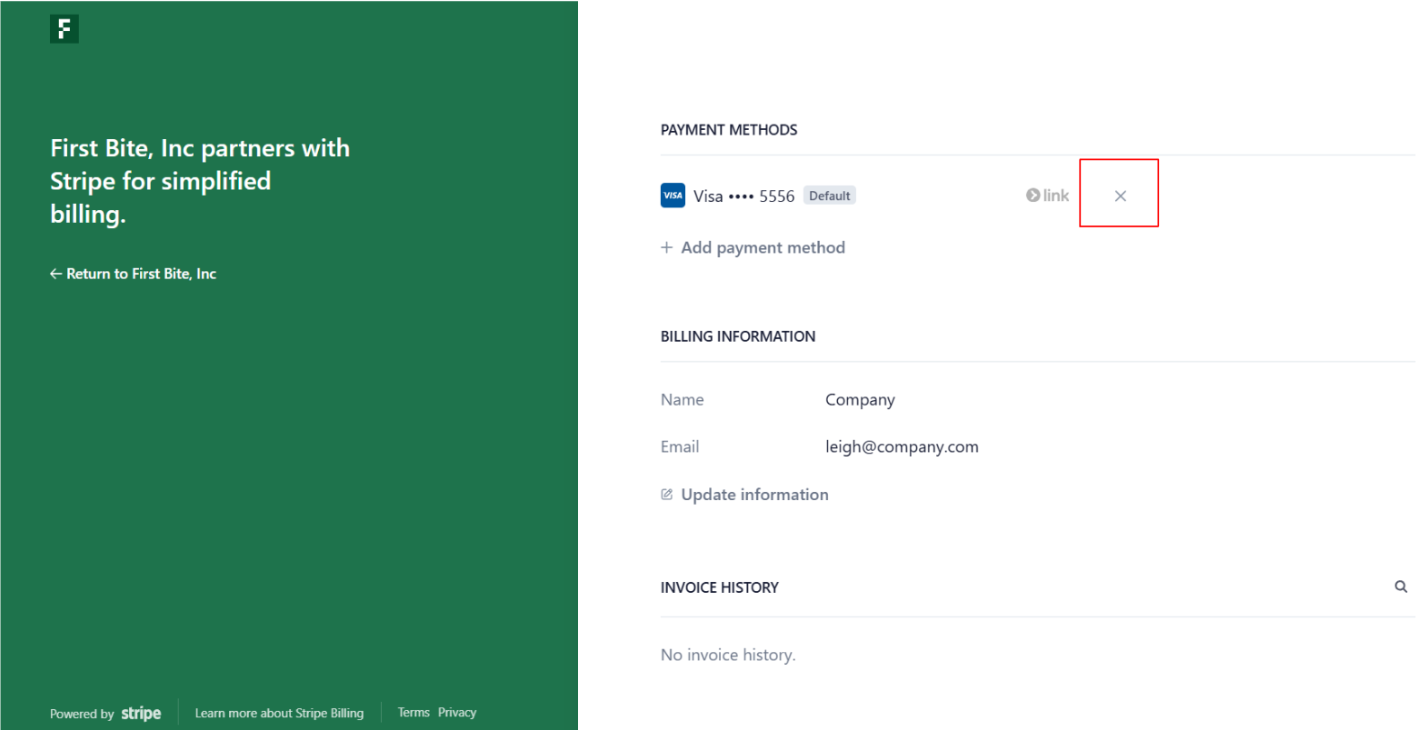
Click
Delete Payment Method.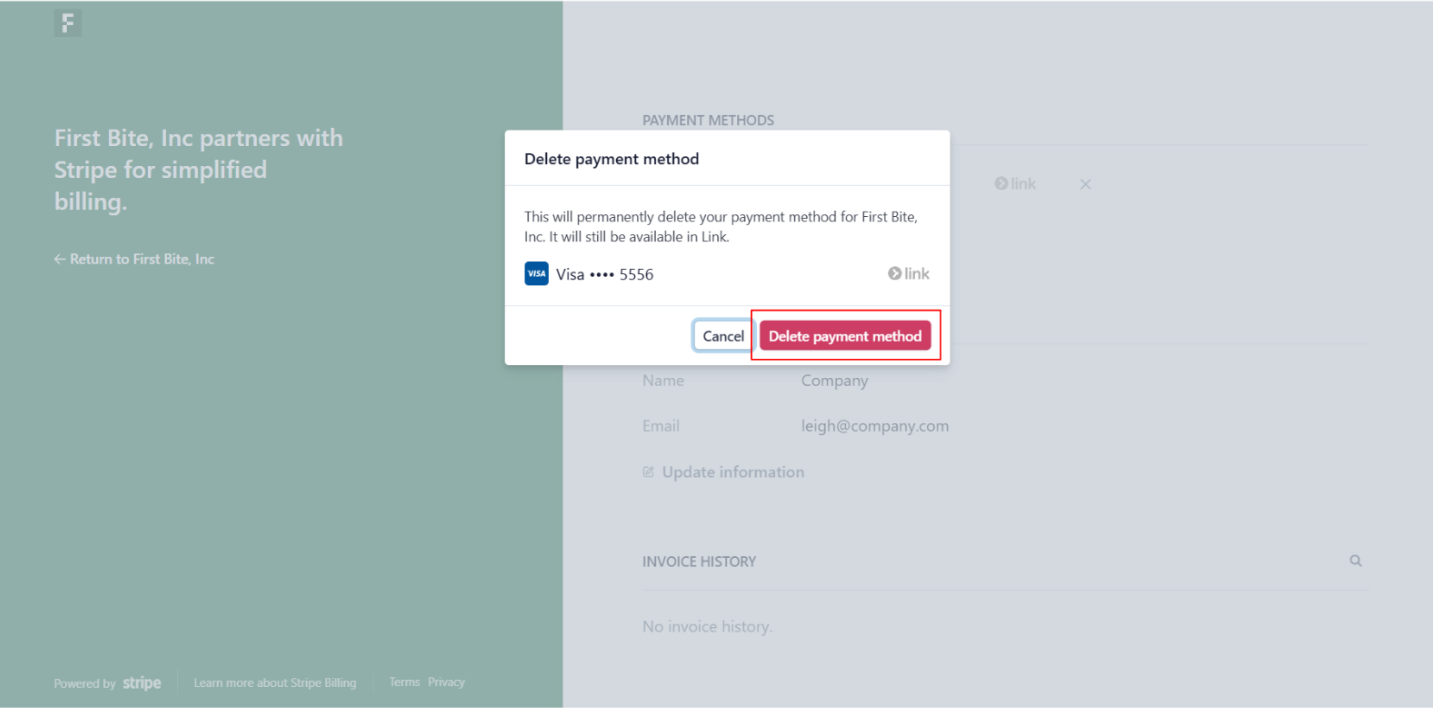
Your payment method should now be removed from the platform.
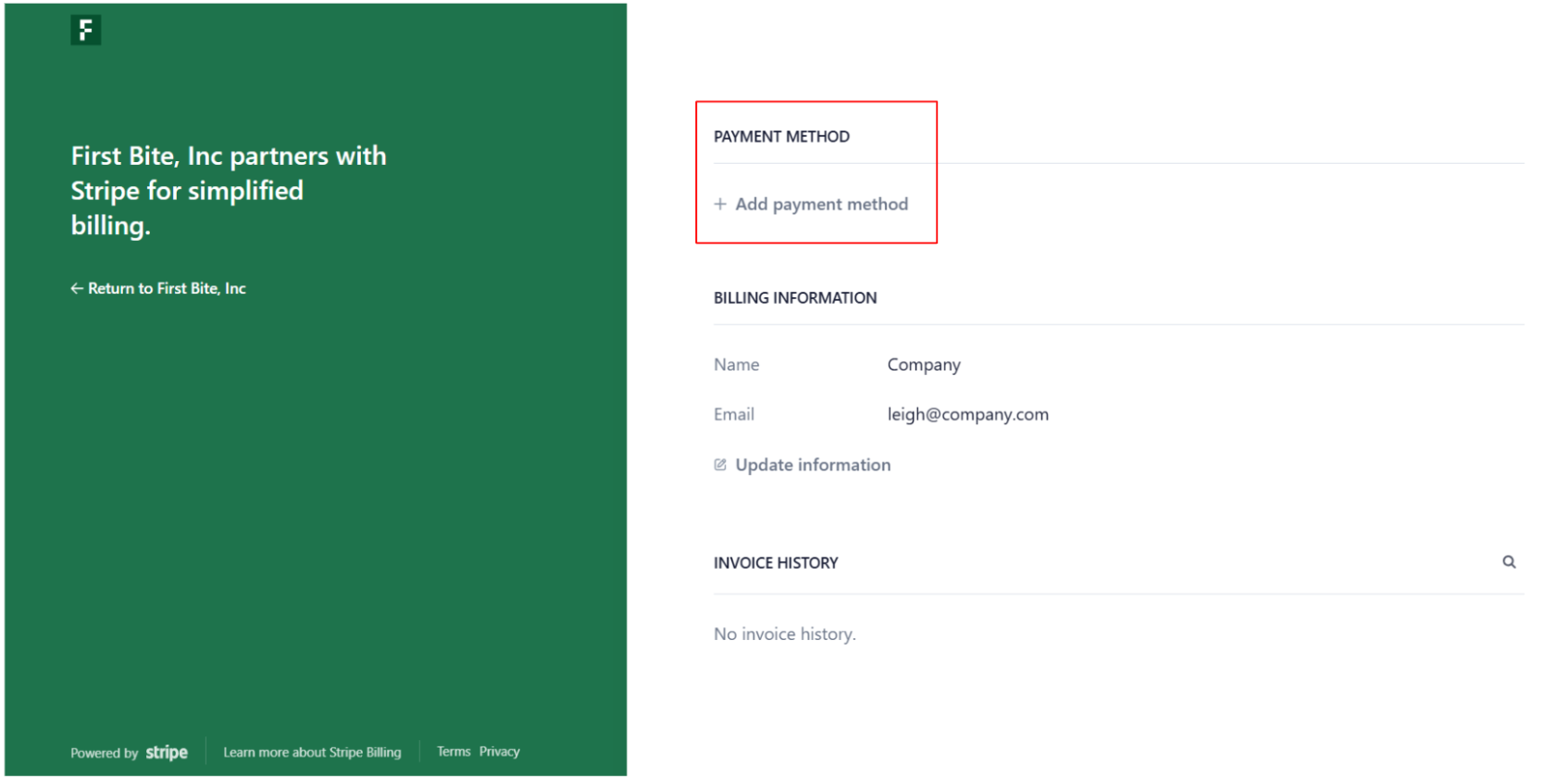
Click on
Return to First Bite, Incto return to the platform or close the page.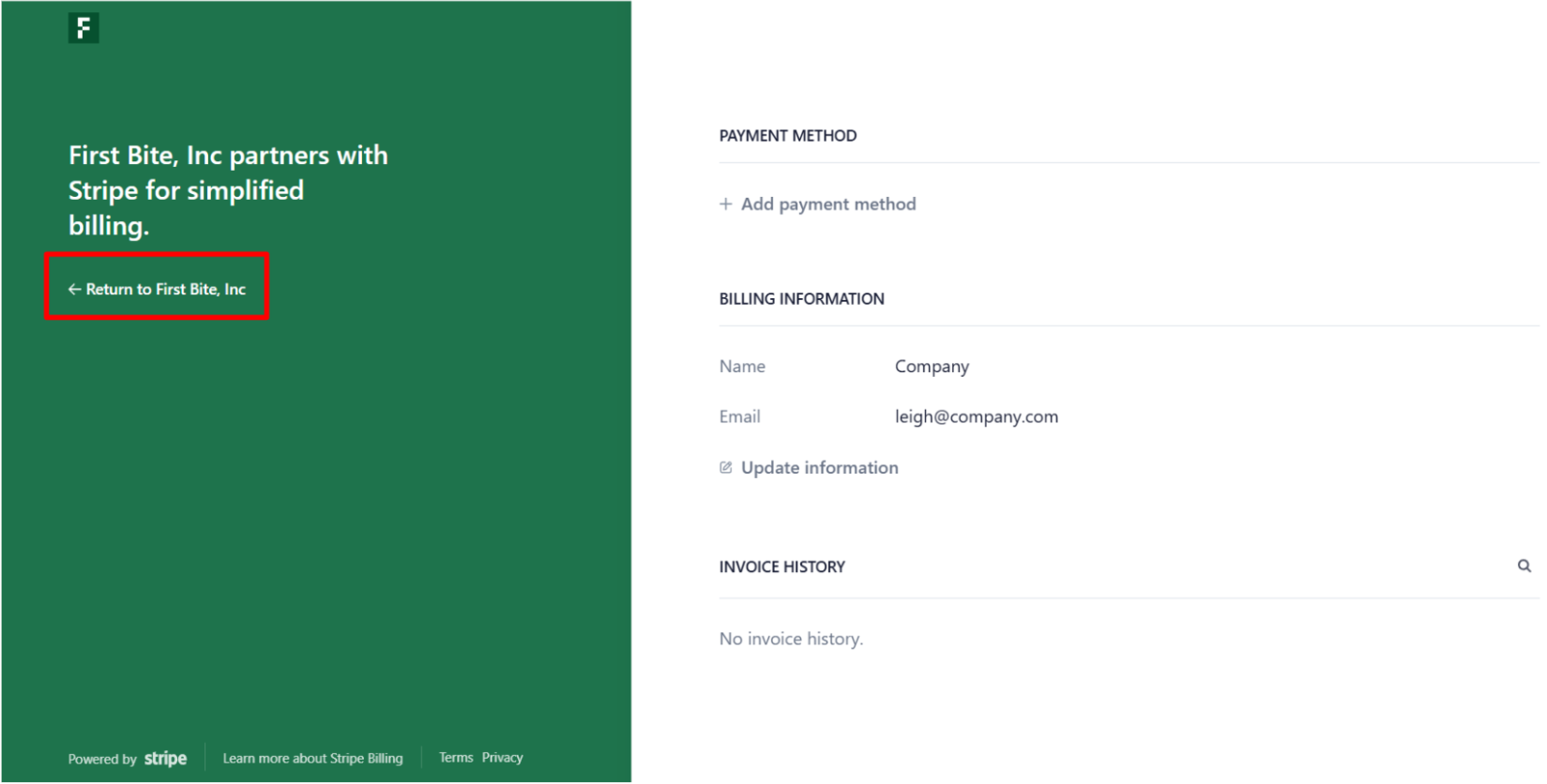
Note: While the card is no longer on our platform, it may still be logged in Link.
To remove your card from Link, go to
Contacts > Contact Requests >
Buy Credits.Click on the arrow next to the payment method you want to remove.
Click on the 3 dots next to that payment method.
Select
Remove Cardto remove it from the Link system.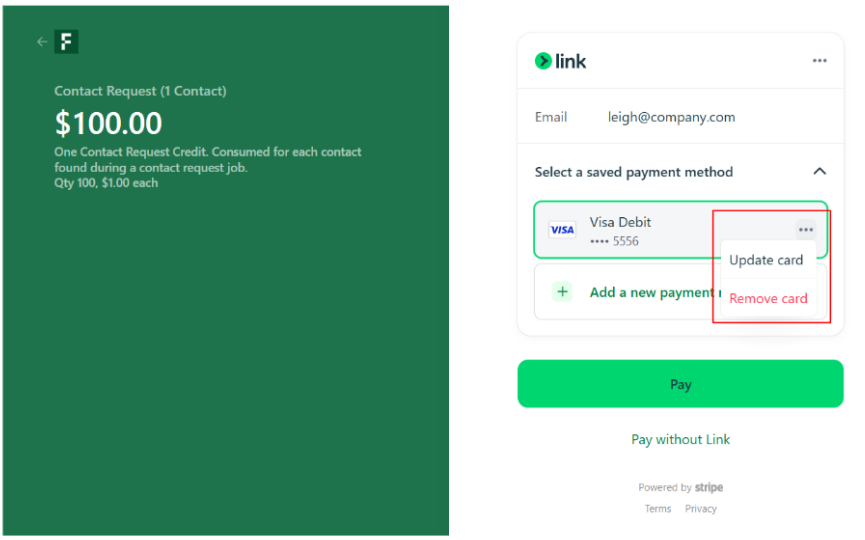
That payment method will no longer appear as an option within Link.